> ## Documentation Index
> Fetch the complete documentation index at: https://docs.odella.ai/llms.txt
> Use this file to discover all available pages before exploring further.
# Code Block
> Run Python code securely during your flow's execution
The Code Block allows you to run Python code securely during your flow's execution using Azure Code Interpreter. This block provides a safe and isolated environment for executing custom Python code. Common use cases include:
* Performing complex calculations
* Implementing custom data processing logic
* Using Python libraries and functions
* Data transformation and analysis
The Code Block only supports Python code execution.
 ## Inputs
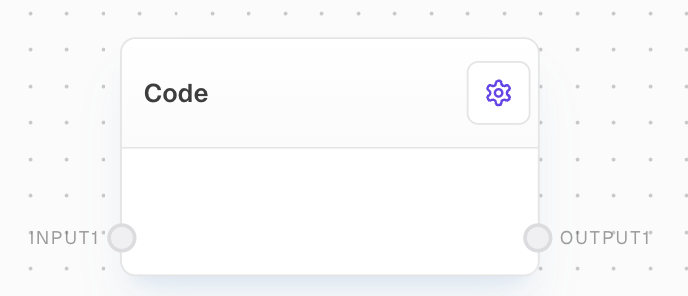
Default input port. Input names are configurable and each creates a corresponding port. Values are accessible in your Python code via the `inputs` dictionary with typed values (e.g., `inputs["input1"]["type"]`, `inputs["input1"]["value"]`).
## Outputs
Default output port. Output names are configurable and each creates a corresponding port. The code must return a dictionary with typed values matching the configured output names (e.g., `{"output1": {"type": "string", "value": "result"}}`).
## Editor Settings
List of input names. Each name creates an input port on the block. Names are sanitized to be valid Python identifiers (only alphanumeric and underscore characters).
List of output names. Each name creates an output port on the block. The code must return values for all configured outputs.
An AI assistant to help write and modify your code.
The Python code to execute. Must include a `main(inputs)` function that processes the inputs and returns a dictionary of outputs. Default template:
```python theme={"system"}
def main(inputs):
return {
"output1": {
"type": inputs["input1"]["type"],
"value": inputs["input1"]["value"]
}
}
```
## Code Structure
Your code must:
* Define a `main(inputs)` function
* Access inputs through the `inputs` dictionary where each input has `type` and `value` properties
* Return a dictionary with output names matching those configured in settings
* Each output must have `type` and `value` properties
## Inputs
Default input port. Input names are configurable and each creates a corresponding port. Values are accessible in your Python code via the `inputs` dictionary with typed values (e.g., `inputs["input1"]["type"]`, `inputs["input1"]["value"]`).
## Outputs
Default output port. Output names are configurable and each creates a corresponding port. The code must return a dictionary with typed values matching the configured output names (e.g., `{"output1": {"type": "string", "value": "result"}}`).
## Editor Settings
List of input names. Each name creates an input port on the block. Names are sanitized to be valid Python identifiers (only alphanumeric and underscore characters).
List of output names. Each name creates an output port on the block. The code must return values for all configured outputs.
An AI assistant to help write and modify your code.
The Python code to execute. Must include a `main(inputs)` function that processes the inputs and returns a dictionary of outputs. Default template:
```python theme={"system"}
def main(inputs):
return {
"output1": {
"type": inputs["input1"]["type"],
"value": inputs["input1"]["value"]
}
}
```
## Code Structure
Your code must:
* Define a `main(inputs)` function
* Access inputs through the `inputs` dictionary where each input has `type` and `value` properties
* Return a dictionary with output names matching those configured in settings
* Each output must have `type` and `value` properties