> ## Documentation Index
> Fetch the complete documentation index at: https://docs.odella.ai/llms.txt
> Use this file to discover all available pages before exploring further.
# Subflow Block
> Execute another flow within the current flow for reusable logic and modular design
## Overview
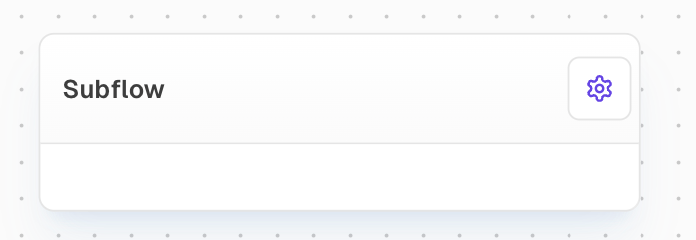
The Subflow Block allows you to execute another flow within the current flow. This powerful feature enables you to reuse logic across multiple flows, break down complex flows into smaller pieces, and create modular workflow designs.
Subflows must be within the same project and cannot reference flows from different projects.
 ## Inputs
The inputs are dynamically generated based on the Input Blocks configured in the selected subflow. Each Input Block in the subflow creates a corresponding input port on the Subflow Block.
Only shown when "Wait For Input" is enabled. Used to delay execution until this input is ready.
## Outputs
The outputs are dynamically generated based on the Output Blocks configured in the selected subflow. Each Output Block in the subflow creates a corresponding output port on the Subflow Block.
Contains any error message if an error occurs during subflow execution. Only available when "Use Error Output" is enabled.
The time in milliseconds that the subflow took to execute.
## Editor Settings
Select the flow to execute as a subflow. The flow must exist within the same project.
When enabled, errors during subflow execution will be sent to the Error output port instead of causing the block to fail. This allows for custom error handling logic.
When enabled, adds a "Wait For" input port that delays execution until that input is ready.
For each Input Block in the selected subflow, a corresponding setting appears allowing you to set a default value for that input.
## Notes
* The block's inputs and outputs are determined by the Input and Output Blocks in the selected subflow
* Errors can either fail the block or be handled via the Error output port
* Subflows can be nested within other subflows for complex workflow organization
* The subflow must be in the same project as the parent flow
* Default values can be set for any input, which will be used if no connection is made to that input port
## Examples
### Example 1: Basic Subflow Usage
1. Create a new flow called "Greeting" with:
* An Input Block named "name"
* A Text Block with content "Hello, {inputs.name}!"
* An Output Block named "message"
2. In your main flow:
* Add a Subflow Block
* Select "Greeting" as the Flow
* Connect a Text Block with a name to the "name" input
* Use the "message" output as needed
### Example 2: Error Handling
1. Create a subflow that might produce errors
2. In your main flow:
* Add a Subflow Block
* Enable "Use Error Output"
* Connect the Error output to handle potential issues
* Add error handling logic as needed
## FAQ
Yes, you can use Subflow Blocks within other subflows to create hierarchical workflow structures.
If "Use Error Output" is enabled, the error message will be sent to the Error output port. Otherwise, the block will fail and stop the flow execution.
Yes, by modifying the Input and Output Blocks in the subflow. Changes will automatically update the ports on any Subflow Blocks using that flow.
The Duration output port provides the execution time in milliseconds for each run of the subflow.
## Inputs
The inputs are dynamically generated based on the Input Blocks configured in the selected subflow. Each Input Block in the subflow creates a corresponding input port on the Subflow Block.
Only shown when "Wait For Input" is enabled. Used to delay execution until this input is ready.
## Outputs
The outputs are dynamically generated based on the Output Blocks configured in the selected subflow. Each Output Block in the subflow creates a corresponding output port on the Subflow Block.
Contains any error message if an error occurs during subflow execution. Only available when "Use Error Output" is enabled.
The time in milliseconds that the subflow took to execute.
## Editor Settings
Select the flow to execute as a subflow. The flow must exist within the same project.
When enabled, errors during subflow execution will be sent to the Error output port instead of causing the block to fail. This allows for custom error handling logic.
When enabled, adds a "Wait For" input port that delays execution until that input is ready.
For each Input Block in the selected subflow, a corresponding setting appears allowing you to set a default value for that input.
## Notes
* The block's inputs and outputs are determined by the Input and Output Blocks in the selected subflow
* Errors can either fail the block or be handled via the Error output port
* Subflows can be nested within other subflows for complex workflow organization
* The subflow must be in the same project as the parent flow
* Default values can be set for any input, which will be used if no connection is made to that input port
## Examples
### Example 1: Basic Subflow Usage
1. Create a new flow called "Greeting" with:
* An Input Block named "name"
* A Text Block with content "Hello, {inputs.name}!"
* An Output Block named "message"
2. In your main flow:
* Add a Subflow Block
* Select "Greeting" as the Flow
* Connect a Text Block with a name to the "name" input
* Use the "message" output as needed
### Example 2: Error Handling
1. Create a subflow that might produce errors
2. In your main flow:
* Add a Subflow Block
* Enable "Use Error Output"
* Connect the Error output to handle potential issues
* Add error handling logic as needed
## FAQ
Yes, you can use Subflow Blocks within other subflows to create hierarchical workflow structures.
If "Use Error Output" is enabled, the error message will be sent to the Error output port. Otherwise, the block will fail and stop the flow execution.
Yes, by modifying the Input and Output Blocks in the subflow. Changes will automatically update the ports on any Subflow Blocks using that flow.
The Duration output port provides the execution time in milliseconds for each run of the subflow.