> ## Documentation Index
> Fetch the complete documentation index at: https://docs.odella.ai/llms.txt
> Use this file to discover all available pages before exploring further.
# Auto System Prompt Block
> Automatically generate system prompts to improve AI model guidance
 ## Overview
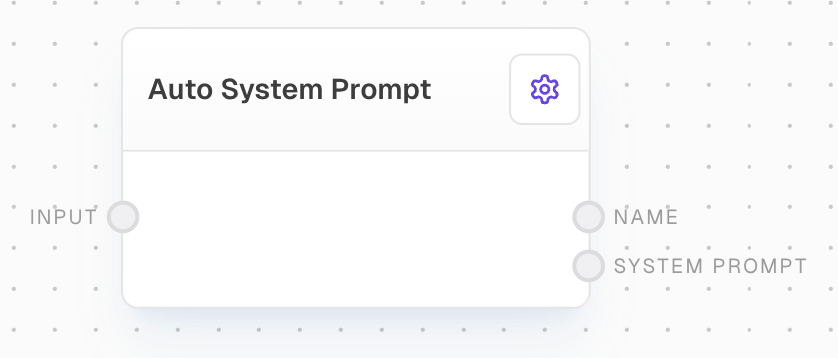
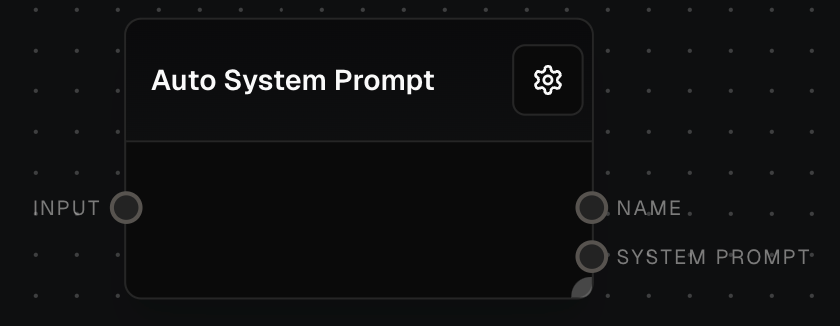
The Auto System Prompt Block is designed to automatically generate system prompts that enhance the guidance for AI models in other blocks, such as the Ask AI Block. By taking a user-provided prompt as input, this block creates a tailored system prompt that helps define the goal and context for the AI model, resulting in more focused and relevant outputs.
## Inputs
A question and/or task for the agent to complete. Required. The input can be provided as:
* A string
* An array of strings (will be joined with newlines)
* A chat message
* An array of chat messages (messages will be joined with newlines)
Other input types will be coerced to strings when possible.
## Outputs
The name of the generated agent, typically including an emoji indicating its specialty (e.g. "💰 Finance Agent").
The generated role/system prompt for the agent, tailored to the input task.
The time in milliseconds that the block took to execute.
## Editor Settings
The specific GPT model to use for generating the system prompt. Available models are dynamically populated based on the LLM provider configuration. Has a "Use Input" toggle to accept the model via input instead.
## Error Handling
The block will retry failed attempts up to 3 times with exponential backoff when encountering errors:
* For rate limit (429) errors, it will display "API rate limit exceeded, retrying..."
* For timeout (408) errors, it will display "API timed out, retrying..."
* Other 4xx errors will fail immediately with an error message
* The maximum retry time is 5 minutes
## Default Values
If the AI fails to generate a proper response, the block will fall back to these defaults:
* Default Name: "Default Agent"
* Default Role: "You are an AI critical thinker research assistant. Your sole purpose is to write well written, critically acclaimed, objective and structured reports on given text."
## Notes
* The block requires an LLM provider to be configured in the workflow context
* The block will automatically coerce various input types to strings
* The generated agent roles are tailored to specific domains (finance, business, travel, etc.)
* The block supports legal expertise and can target specific legal specialties when applicable
## Example Usage
1. Connect a Text block containing your task/question to the Input port
2. Select your desired GPT model in the settings
3. Connect the Name and System Prompt outputs to other blocks that need agent configuration
4. The block will generate a domain-specific agent name and role based on the input
## Overview
The Auto System Prompt Block is designed to automatically generate system prompts that enhance the guidance for AI models in other blocks, such as the Ask AI Block. By taking a user-provided prompt as input, this block creates a tailored system prompt that helps define the goal and context for the AI model, resulting in more focused and relevant outputs.
## Inputs
A question and/or task for the agent to complete. Required. The input can be provided as:
* A string
* An array of strings (will be joined with newlines)
* A chat message
* An array of chat messages (messages will be joined with newlines)
Other input types will be coerced to strings when possible.
## Outputs
The name of the generated agent, typically including an emoji indicating its specialty (e.g. "💰 Finance Agent").
The generated role/system prompt for the agent, tailored to the input task.
The time in milliseconds that the block took to execute.
## Editor Settings
The specific GPT model to use for generating the system prompt. Available models are dynamically populated based on the LLM provider configuration. Has a "Use Input" toggle to accept the model via input instead.
## Error Handling
The block will retry failed attempts up to 3 times with exponential backoff when encountering errors:
* For rate limit (429) errors, it will display "API rate limit exceeded, retrying..."
* For timeout (408) errors, it will display "API timed out, retrying..."
* Other 4xx errors will fail immediately with an error message
* The maximum retry time is 5 minutes
## Default Values
If the AI fails to generate a proper response, the block will fall back to these defaults:
* Default Name: "Default Agent"
* Default Role: "You are an AI critical thinker research assistant. Your sole purpose is to write well written, critically acclaimed, objective and structured reports on given text."
## Notes
* The block requires an LLM provider to be configured in the workflow context
* The block will automatically coerce various input types to strings
* The generated agent roles are tailored to specific domains (finance, business, travel, etc.)
* The block supports legal expertise and can target specific legal specialties when applicable
## Example Usage
1. Connect a Text block containing your task/question to the Input port
2. Select your desired GPT model in the settings
3. Connect the Name and System Prompt outputs to other blocks that need agent configuration
4. The block will generate a domain-specific agent name and role based on the input