

 Get Started
 Workforce
 Templates
 Documents
 Workflows
Overview
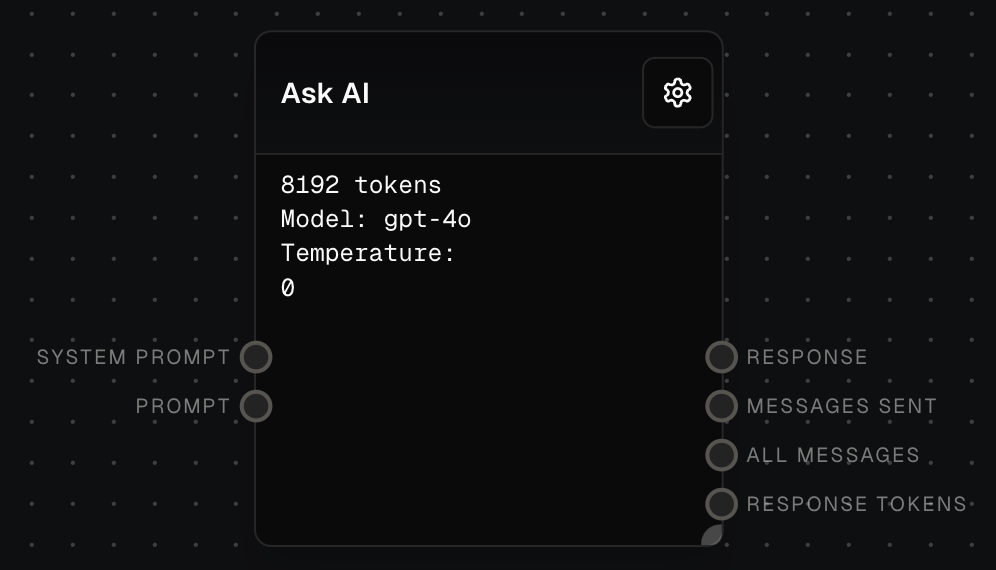
The Ask AI Block allows you to send messages to over 250 different AI models for chat completions. This versatile block provides a wide range of options for AI-powered conversations and text generation tasks.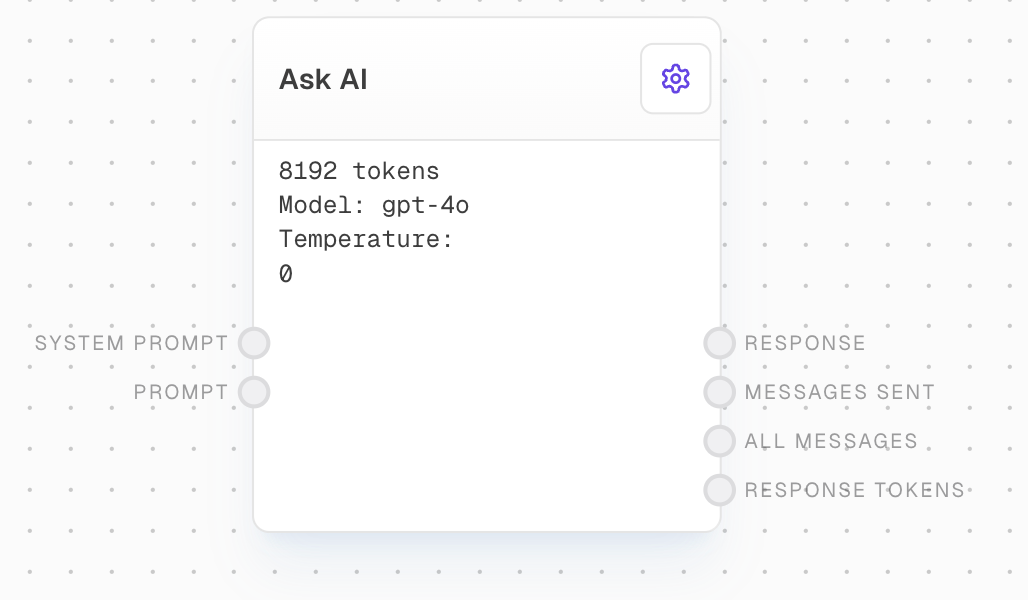
Inputs
string | chat-message
The system prompt to send to the model. Optional. Used to provide high-level guidance to the AI model.
string | string[] | chat-message | chat-message[]
The prompt message or messages to send to the model. Required. Strings will be converted into chat messages of type
user, with no name.string
The model to use for the chat. Only available when “Use Model Input” is enabled.
number
What sampling temperature to use, between 0 and 2. Higher values like 0.8 will make the output more random, while lower values like 0.2 will make it more focused and deterministic. Only available when “Use Temperature Input” is enabled.
number
An alternative to sampling with temperature, called nucleus sampling, where the model considers the results of the tokens with top_p probability mass. So 0.1 means only the tokens comprising the top 10% probability mass are considered. Only available when “Use Top P Input” is enabled.
boolean
Whether to use top p sampling, or temperature sampling. Only available when “Use Top P Input” is enabled.
number
The maximum number of tokens to generate in the chat completion. Only available when “Use Max Tokens Input” is enabled.
string
A sequence where the API will stop generating further tokens. Only available when “Use Stop Input” is enabled.
number
Number between -2.0 and 2.0. Positive values penalize new tokens based on whether they appear in the text so far, increasing the model’s likelihood to talk about new topics. Only available when “Use Presence Penalty Input” is enabled.
number
Number between -2.0 and 2.0. Positive values penalize new tokens based on their existing frequency in the text so far, decreasing the model’s likelihood to repeat the same line verbatim. Only available when “Use Frequency Penalty Input” is enabled.
number
If specified, OpenAI will make a best effort to sample deterministically, such that repeated requests with the same seed and parameters should return the same result. Only available when “Use Seed Input” is enabled.
Outputs
string
The textual response from the model.
chat-message[]
All messages sent to the model.
chat-message[]
All messages, with the response appended.
number
The number of tokens in the response from the LLM. For a multi-response, this is the sum.
number
The estimated cost of the API call in USD.
number
The time taken to complete the request in milliseconds.
Editor Settings
string
The AI model to use for responses. Choose from over 250 available models across various providers.
boolean
default:true
Whether to use the prompt input, or input a prompt directly in the settings.
number
default:0.7
Controls randomness in the output. Lower values make the output more focused and deterministic.
number
default:1
Alternative to temperature sampling. Only tokens comprising the top P probability mass are considered.
boolean
default:false
Whether to use top p sampling instead of temperature sampling.
number
default:8192
The maximum number of tokens to generate in the completion.
string
A sequence where the API will stop generating further tokens.
number
Number between -2.0 and 2.0. Positive values penalize new tokens based on whether they appear in the text so far, increasing the model’s likelihood to talk about new topics.
number
Number between -2.0 and 2.0. Positive values penalize new tokens based on their existing frequency in the text so far, decreasing the model’s likelihood to repeat the same line verbatim.
number
If specified, OpenAI will make a best effort to sample deterministically, such that repeated requests with the same seed and parameters should return the same result.
Advanced
number
Overrides the max number of tokens a model can support. Leave blank for preconfigured token limits.
boolean
default:false
If enabled, requests with the same parameters and messages will be cached for immediate responses without an API call.
boolean
If enabled, streaming responses from this node will be shown in Subgraph nodes that call this graph.
Example: Simple Question Answering
- Add an Ask AI block to your flow.
- Add a Text block and enter your question in its editor.
- Connect the output of the Text block to the
Promptinput of the Ask AI block. - Select your desired model in the Ask AI block settings.
- Run your flow. The AI’s response will appear at the bottom of the Ask AI block.
Error Handling
The block will retry failed attempts up to 3 times with exponential backoff:- Minimum retry delay: 500ms
- Maximum retry delay: 5000ms
- Retry factor: 2.5x
- Includes randomization
- Maximum retry time: 5 minutes
- Missing prompt input
- API rate limits (will retry)
- API timeouts (will retry)
- Token limit exceeded
- Invalid model configuration
- Other API errors
FAQ
Can I use multiple AI models in the same workflow?
Can I use multiple AI models in the same workflow?
Yes, you can use multiple Ask AI blocks with different models in the same workflow.
What happens if I connect an unsupported data type to the prompt input?
What happens if I connect an unsupported data type to the prompt input?
The block will attempt to convert the value to a string. If successful, it will be treated as a user message. If conversion fails, the input will be ignored.
Are all settings available for all models?
Are all settings available for all models?
No, available settings may vary depending on the selected model. The block will adapt its settings based on your selection.