> ## Documentation Index
> Fetch the complete documentation index at: https://docs.odella.ai/llms.txt
> Use this file to discover all available pages before exploring further.
# Ask AI Block
> Send messages to over 250 AI models for chat completions
## Overview
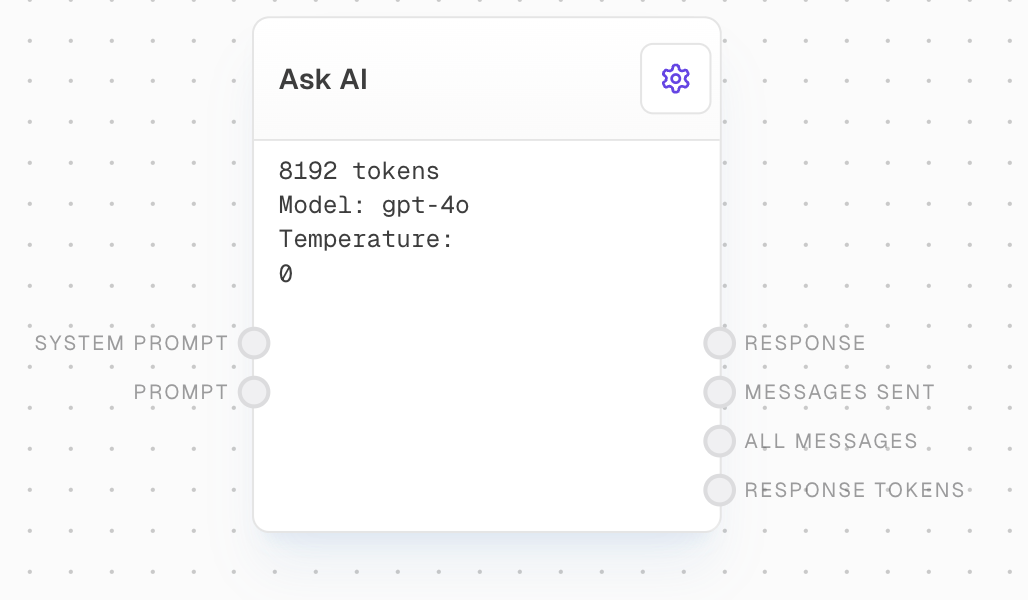
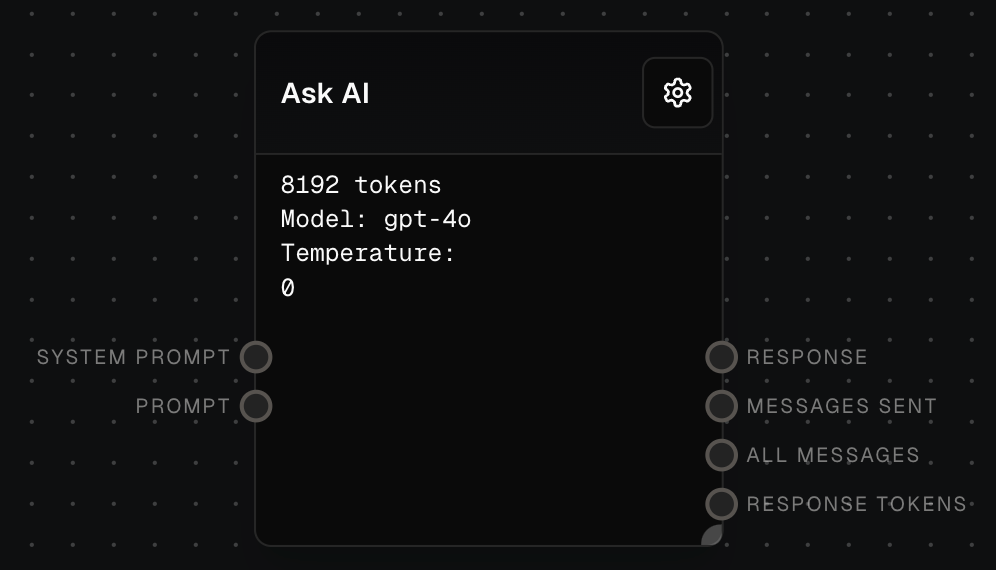
The Ask AI Block allows you to send messages to over 250 different AI models for chat completions. This versatile block provides a wide range of options for AI-powered conversations and text generation tasks.
 ## Inputs
The system prompt to send to the model. Optional. Used to provide high-level guidance to the AI model.
The prompt message or messages to send to the model. Required. Strings will be converted into chat messages of type `user`, with no name.
The model to use for the chat. Only available when "Use Model Input" is enabled.
What sampling temperature to use, between 0 and 2. Higher values like 0.8 will make the output more random, while lower values like 0.2 will make it more focused and deterministic. Only available when "Use Temperature Input" is enabled.
An alternative to sampling with temperature, called nucleus sampling, where the model considers the results of the tokens with top\_p probability mass. So 0.1 means only the tokens comprising the top 10% probability mass are considered. Only available when "Use Top P Input" is enabled.
Whether to use top p sampling, or temperature sampling. Only available when "Use Top P Input" is enabled.
The maximum number of tokens to generate in the chat completion. Only available when "Use Max Tokens Input" is enabled.
A sequence where the API will stop generating further tokens. Only available when "Use Stop Input" is enabled.
Number between -2.0 and 2.0. Positive values penalize new tokens based on whether they appear in the text so far, increasing the model's likelihood to talk about new topics. Only available when "Use Presence Penalty Input" is enabled.
Number between -2.0 and 2.0. Positive values penalize new tokens based on their existing frequency in the text so far, decreasing the model's likelihood to repeat the same line verbatim. Only available when "Use Frequency Penalty Input" is enabled.
If specified, OpenAI will make a best effort to sample deterministically, such that repeated requests with the same seed and parameters should return the same result. Only available when "Use Seed Input" is enabled.
## Outputs
The textual response from the model.
All messages sent to the model.
All messages, with the response appended.
The number of tokens in the response from the LLM. For a multi-response, this is the sum.
The estimated cost of the API call in USD.
The time taken to complete the request in milliseconds.
## Editor Settings
The AI model to use for responses. Choose from over 250 available models across various providers.
Whether to use the prompt input, or input a prompt directly in the settings.
Controls randomness in the output. Lower values make the output more focused and deterministic.
Alternative to temperature sampling. Only tokens comprising the top P probability mass are considered.
Whether to use top p sampling instead of temperature sampling.
The maximum number of tokens to generate in the completion.
A sequence where the API will stop generating further tokens.
Number between -2.0 and 2.0. Positive values penalize new tokens based on whether they appear in the text so far, increasing the model's likelihood to talk about new topics.
Number between -2.0 and 2.0. Positive values penalize new tokens based on their existing frequency in the text so far, decreasing the model's likelihood to repeat the same line verbatim.
If specified, OpenAI will make a best effort to sample deterministically, such that repeated requests with the same seed and parameters should return the same result.
### Advanced
Overrides the max number of tokens a model can support. Leave blank for preconfigured token limits.
If enabled, requests with the same parameters and messages will be cached for immediate responses without an API call.
If enabled, streaming responses from this node will be shown in Subgraph nodes that call this graph.
## Example: Simple Question Answering
1. Add an Ask AI block to your flow.
2. Add a Text block and enter your question in its editor.
3. Connect the output of the Text block to the `Prompt` input of the Ask AI block.
4. Select your desired model in the Ask AI block settings.
5. Run your flow. The AI's response will appear at the bottom of the Ask AI block.
## Error Handling
The block will retry failed attempts up to 3 times with exponential backoff:
* Minimum retry delay: 500ms
* Maximum retry delay: 5000ms
* Retry factor: 2.5x
* Includes randomization
* Maximum retry time: 5 minutes
Error messages will be logged for:
* Missing prompt input
* API rate limits (will retry)
* API timeouts (will retry)
* Token limit exceeded
* Invalid model configuration
* Other API errors
Be mindful of rate limits when using the Ask AI block, especially when [batching](/workflow/batching) requests.
## FAQ
Yes, you can use multiple Ask AI blocks with different models in the same workflow.
The block will attempt to convert the value to a string. If successful, it will be treated as a user message. If conversion fails, the input will be ignored.
No, available settings may vary depending on the selected model. The block will adapt its settings based on your selection.
## See Also
* [Text Block](/block-reference/data/text)
* [Assemble Prompt Block](/block-reference/ai/ai)
* [AI Filter Block](/block-reference/ai/ai-filter)
## Inputs
The system prompt to send to the model. Optional. Used to provide high-level guidance to the AI model.
The prompt message or messages to send to the model. Required. Strings will be converted into chat messages of type `user`, with no name.
The model to use for the chat. Only available when "Use Model Input" is enabled.
What sampling temperature to use, between 0 and 2. Higher values like 0.8 will make the output more random, while lower values like 0.2 will make it more focused and deterministic. Only available when "Use Temperature Input" is enabled.
An alternative to sampling with temperature, called nucleus sampling, where the model considers the results of the tokens with top\_p probability mass. So 0.1 means only the tokens comprising the top 10% probability mass are considered. Only available when "Use Top P Input" is enabled.
Whether to use top p sampling, or temperature sampling. Only available when "Use Top P Input" is enabled.
The maximum number of tokens to generate in the chat completion. Only available when "Use Max Tokens Input" is enabled.
A sequence where the API will stop generating further tokens. Only available when "Use Stop Input" is enabled.
Number between -2.0 and 2.0. Positive values penalize new tokens based on whether they appear in the text so far, increasing the model's likelihood to talk about new topics. Only available when "Use Presence Penalty Input" is enabled.
Number between -2.0 and 2.0. Positive values penalize new tokens based on their existing frequency in the text so far, decreasing the model's likelihood to repeat the same line verbatim. Only available when "Use Frequency Penalty Input" is enabled.
If specified, OpenAI will make a best effort to sample deterministically, such that repeated requests with the same seed and parameters should return the same result. Only available when "Use Seed Input" is enabled.
## Outputs
The textual response from the model.
All messages sent to the model.
All messages, with the response appended.
The number of tokens in the response from the LLM. For a multi-response, this is the sum.
The estimated cost of the API call in USD.
The time taken to complete the request in milliseconds.
## Editor Settings
The AI model to use for responses. Choose from over 250 available models across various providers.
Whether to use the prompt input, or input a prompt directly in the settings.
Controls randomness in the output. Lower values make the output more focused and deterministic.
Alternative to temperature sampling. Only tokens comprising the top P probability mass are considered.
Whether to use top p sampling instead of temperature sampling.
The maximum number of tokens to generate in the completion.
A sequence where the API will stop generating further tokens.
Number between -2.0 and 2.0. Positive values penalize new tokens based on whether they appear in the text so far, increasing the model's likelihood to talk about new topics.
Number between -2.0 and 2.0. Positive values penalize new tokens based on their existing frequency in the text so far, decreasing the model's likelihood to repeat the same line verbatim.
If specified, OpenAI will make a best effort to sample deterministically, such that repeated requests with the same seed and parameters should return the same result.
### Advanced
Overrides the max number of tokens a model can support. Leave blank for preconfigured token limits.
If enabled, requests with the same parameters and messages will be cached for immediate responses without an API call.
If enabled, streaming responses from this node will be shown in Subgraph nodes that call this graph.
## Example: Simple Question Answering
1. Add an Ask AI block to your flow.
2. Add a Text block and enter your question in its editor.
3. Connect the output of the Text block to the `Prompt` input of the Ask AI block.
4. Select your desired model in the Ask AI block settings.
5. Run your flow. The AI's response will appear at the bottom of the Ask AI block.
## Error Handling
The block will retry failed attempts up to 3 times with exponential backoff:
* Minimum retry delay: 500ms
* Maximum retry delay: 5000ms
* Retry factor: 2.5x
* Includes randomization
* Maximum retry time: 5 minutes
Error messages will be logged for:
* Missing prompt input
* API rate limits (will retry)
* API timeouts (will retry)
* Token limit exceeded
* Invalid model configuration
* Other API errors
Be mindful of rate limits when using the Ask AI block, especially when [batching](/workflow/batching) requests.
## FAQ
Yes, you can use multiple Ask AI blocks with different models in the same workflow.
The block will attempt to convert the value to a string. If successful, it will be treated as a user message. If conversion fails, the input will be ignored.
No, available settings may vary depending on the selected model. The block will adapt its settings based on your selection.
## See Also
* [Text Block](/block-reference/data/text)
* [Assemble Prompt Block](/block-reference/ai/ai)
* [AI Filter Block](/block-reference/ai/ai-filter)