> ## Documentation Index
> Fetch the complete documentation index at: https://docs.odella.ai/llms.txt
> Use this file to discover all available pages before exploring further.
# Generate Questions Block
> Leverage AI to generate multiple questions based on a given prompt and value
## Overview
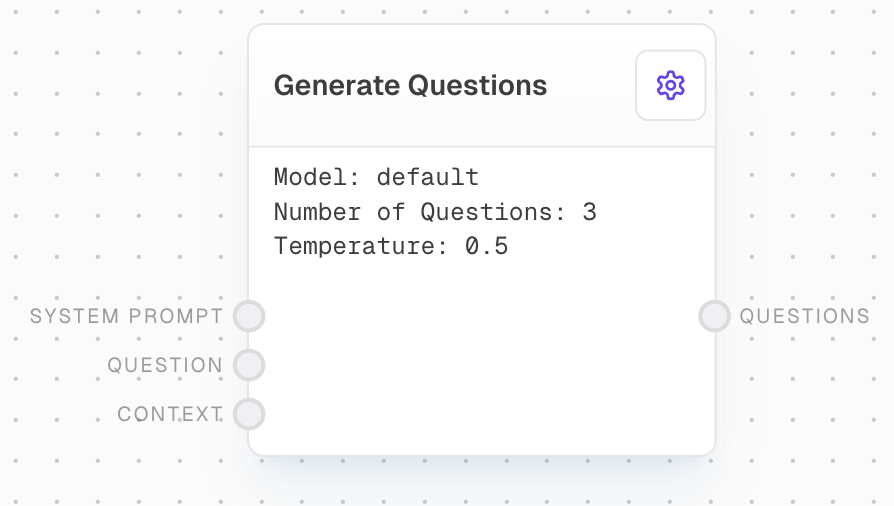
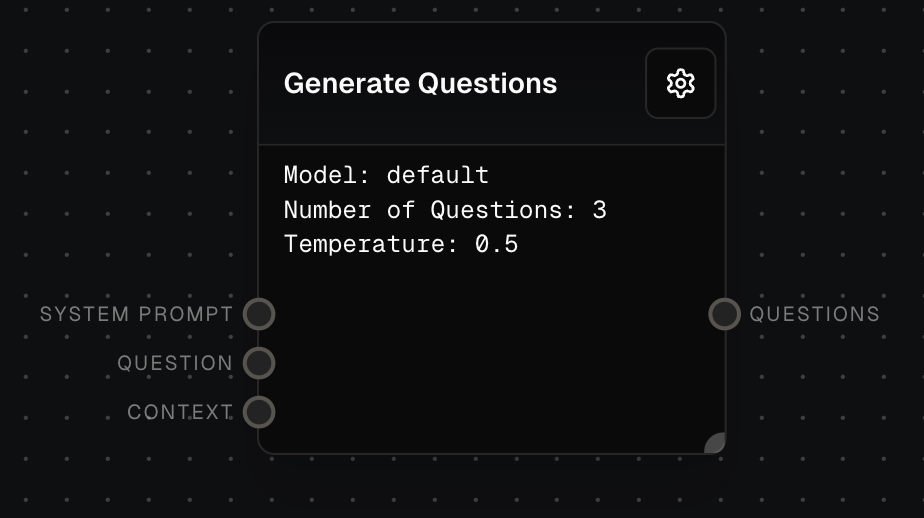
The Generate Questions Block uses AI capabilities to create a specified number of questions based on an input prompt and value. This block is particularly useful for expanding research activities, breaking down complex topics into manageable parts, or creating comprehensive question sets for various purposes.
 ## Inputs
The system prompt to send to the model. Optional. Used to provide high-level guidance to the AI model.
The context to generate related questions from. Optional. Can be a string, chat message, array of chat messages, or other array types that can be coerced to strings.
Available when using the "Blank" template. The instruction for generating questions.
Available when using the "Research Questions" template. The question to generate research queries for.
## Outputs
An array of generated questions based on the input context and prompts.
The time in milliseconds that the block took to execute.
## Editor Settings
The AI model to use for generating questions. Available models are dynamically populated based on the LLM provider configuration. Only models supporting function calls are shown.
Choose from predefined templates:
* Blank: A simple template with custom instruction
* Research Questions: Template for generating Google search queries
The number of questions to generate. Must be between 1 and 10.
Controls randomness in the output. Lower values make the output more focused and deterministic.
The prompt template text. Supports interpolation using {"{{"}variable{"}}"} syntax. Uses custom prompt interpolation highlighting.
## Error Handling
The block will retry failed attempts up to 3 times with exponential backoff:
* Minimum retry delay: 500ms
* Maximum retry delay: 5000ms
* Retry factor: 2.5x
* Includes randomization
* Maximum retry time: 5 minutes
Error messages will be logged for:
* Invalid number of questions (must be 1-10)
* Empty or invalid responses
* API rate limits (will retry)
* API timeouts (will retry)
* Other API errors
Always review the generated questions for relevance and appropriateness, especially when using them for critical research or decision-making processes.
## FAQ
The diversity of questions depends on the input prompt, the provided value, and the AI model's capabilities. You can encourage more diverse questions by adjusting the temperature setting or by providing a more open-ended prompt.
Yes, the Generate Questions block can generate questions in various languages. Simply provide the prompt and value in your desired language, and ensure the chosen AI model supports that language.
To improve relevance, provide a clear and specific prompt that outlines the type of questions you're looking for. You can also experiment with different AI models and settings to find the best combination for your use case.
## See Also
* [Ask AI Block](/block-reference/ai/ai)
* [Analyze Table Block](/block-reference/ai/analyze-table)
* [AI Filter Block](/block-reference/ai/ai-filter)
## Inputs
The system prompt to send to the model. Optional. Used to provide high-level guidance to the AI model.
The context to generate related questions from. Optional. Can be a string, chat message, array of chat messages, or other array types that can be coerced to strings.
Available when using the "Blank" template. The instruction for generating questions.
Available when using the "Research Questions" template. The question to generate research queries for.
## Outputs
An array of generated questions based on the input context and prompts.
The time in milliseconds that the block took to execute.
## Editor Settings
The AI model to use for generating questions. Available models are dynamically populated based on the LLM provider configuration. Only models supporting function calls are shown.
Choose from predefined templates:
* Blank: A simple template with custom instruction
* Research Questions: Template for generating Google search queries
The number of questions to generate. Must be between 1 and 10.
Controls randomness in the output. Lower values make the output more focused and deterministic.
The prompt template text. Supports interpolation using {"{{"}variable{"}}"} syntax. Uses custom prompt interpolation highlighting.
## Error Handling
The block will retry failed attempts up to 3 times with exponential backoff:
* Minimum retry delay: 500ms
* Maximum retry delay: 5000ms
* Retry factor: 2.5x
* Includes randomization
* Maximum retry time: 5 minutes
Error messages will be logged for:
* Invalid number of questions (must be 1-10)
* Empty or invalid responses
* API rate limits (will retry)
* API timeouts (will retry)
* Other API errors
Always review the generated questions for relevance and appropriateness, especially when using them for critical research or decision-making processes.
## FAQ
The diversity of questions depends on the input prompt, the provided value, and the AI model's capabilities. You can encourage more diverse questions by adjusting the temperature setting or by providing a more open-ended prompt.
Yes, the Generate Questions block can generate questions in various languages. Simply provide the prompt and value in your desired language, and ensure the chosen AI model supports that language.
To improve relevance, provide a clear and specific prompt that outlines the type of questions you're looking for. You can also experiment with different AI models and settings to find the best combination for your use case.
## See Also
* [Ask AI Block](/block-reference/ai/ai)
* [Analyze Table Block](/block-reference/ai/analyze-table)
* [AI Filter Block](/block-reference/ai/ai-filter)