> ## Documentation Index
> Fetch the complete documentation index at: https://docs.odella.ai/llms.txt
> Use this file to discover all available pages before exploring further.
# Research AI Block
> Leverage AI to conduct intelligent research across public or private document stores
## Overview
The Research AI Block utilizes advanced AI capabilities to perform intelligent searches and research across multiple document stores. This block can search through public databases, private collections, or a combination of both, providing powerful and flexible research capabilities for various use cases.
 ## Inputs
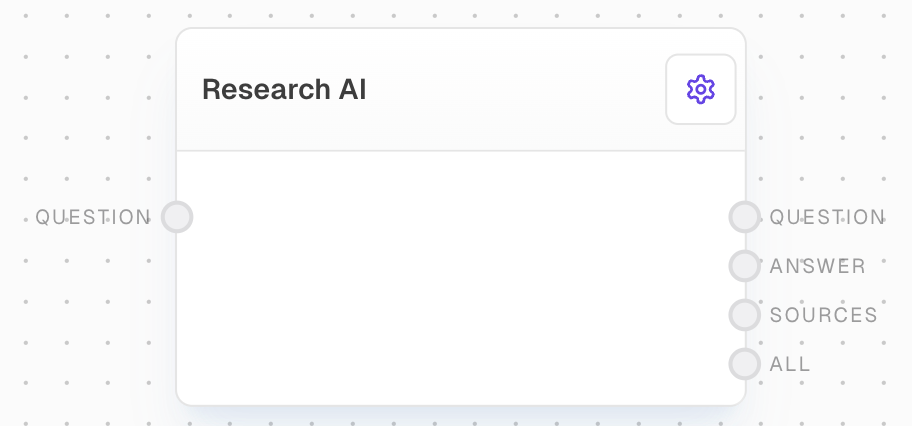
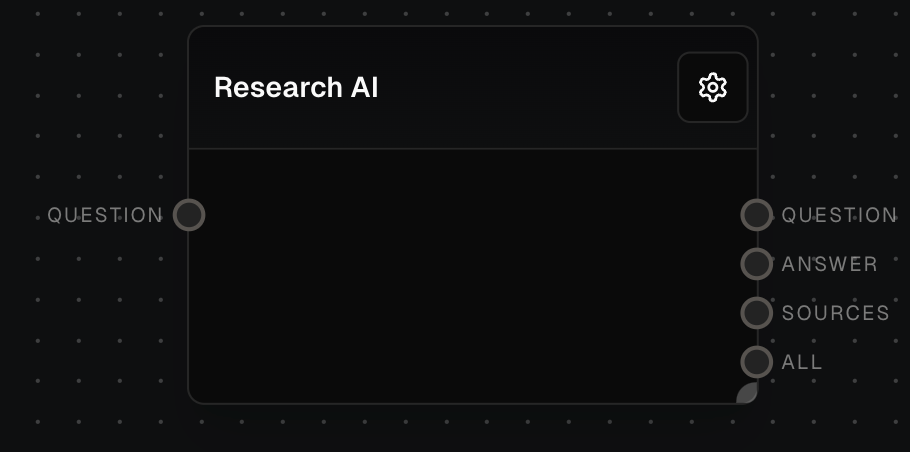
The question or questions to research. Required. This guides the AI in conducting the research. Can be provided as a string, chat message, array of chat messages, or array of strings.
## Outputs
The question that was researched.
The answer to the research question.
The cited sources supporting the response.
A combined output containing the question, answer and discovered sources.
The time in milliseconds that the block took to execute.
## Editor Settings
Select up to 5 document stores to search over. The available options are dynamically populated based on your configured document stores.
How to combine the search results across multiple document stores:
* OR: Routes to the most relevant store
* AND: Combines results from all stores
A DocumentStoreProvider must be configured to use this block.
## Error Handling
The block will retry failed attempts up to 3 times with exponential backoff:
* Minimum retry delay: 500ms
* Maximum retry delay: 5000ms
* Retry factor: 2.5x
* Includes randomization
* Maximum retry time: 5 minutes
Error messages will be logged for:
* No document stores selected
* Invalid document store IDs
* Missing DocumentStoreProvider configuration
* API rate limits (will retry)
* API timeouts (will retry)
* Other API errors
Always verify the accuracy and relevance of the research results, especially when using them for critical decision-making or legal purposes.
## FAQ
The AI attempts to reconcile conflicting information by analyzing the credibility of sources, considering the recency of information, and providing context for discrepancies. In cases of significant conflicts, the AI may highlight these differences in the research results.
Yes, the Research AI block can be configured to work with both public and private document stores. Ensure that your private stores are properly set up and accessible within your platform environment.
In 'OR' mode, the AI intelligently selects the most appropriate document store to search based on the query, potentially improving speed and relevance. In 'AND' mode, the AI searches all specified stores and combines the results, providing a more comprehensive but potentially slower search.
## See Also
* [Ask AI Block](/block-reference/ai/ai)
* [AI Filter Block](/block-reference/ai/ai-filter)
* [Analyze Table Block](/block-reference/ai/analyze-table)
## Inputs
The question or questions to research. Required. This guides the AI in conducting the research. Can be provided as a string, chat message, array of chat messages, or array of strings.
## Outputs
The question that was researched.
The answer to the research question.
The cited sources supporting the response.
A combined output containing the question, answer and discovered sources.
The time in milliseconds that the block took to execute.
## Editor Settings
Select up to 5 document stores to search over. The available options are dynamically populated based on your configured document stores.
How to combine the search results across multiple document stores:
* OR: Routes to the most relevant store
* AND: Combines results from all stores
A DocumentStoreProvider must be configured to use this block.
## Error Handling
The block will retry failed attempts up to 3 times with exponential backoff:
* Minimum retry delay: 500ms
* Maximum retry delay: 5000ms
* Retry factor: 2.5x
* Includes randomization
* Maximum retry time: 5 minutes
Error messages will be logged for:
* No document stores selected
* Invalid document store IDs
* Missing DocumentStoreProvider configuration
* API rate limits (will retry)
* API timeouts (will retry)
* Other API errors
Always verify the accuracy and relevance of the research results, especially when using them for critical decision-making or legal purposes.
## FAQ
The AI attempts to reconcile conflicting information by analyzing the credibility of sources, considering the recency of information, and providing context for discrepancies. In cases of significant conflicts, the AI may highlight these differences in the research results.
Yes, the Research AI block can be configured to work with both public and private document stores. Ensure that your private stores are properly set up and accessible within your platform environment.
In 'OR' mode, the AI intelligently selects the most appropriate document store to search based on the query, potentially improving speed and relevance. In 'AND' mode, the AI searches all specified stores and combines the results, providing a more comprehensive but potentially slower search.
## See Also
* [Ask AI Block](/block-reference/ai/ai)
* [AI Filter Block](/block-reference/ai/ai-filter)
* [Analyze Table Block](/block-reference/ai/analyze-table)