> ## Documentation Index
> Fetch the complete documentation index at: https://docs.odella.ai/llms.txt
> Use this file to discover all available pages before exploring further.
# Array Block
> Construct an array from one or more inputs of any type, with options for flattening and merging arrays
## Overview
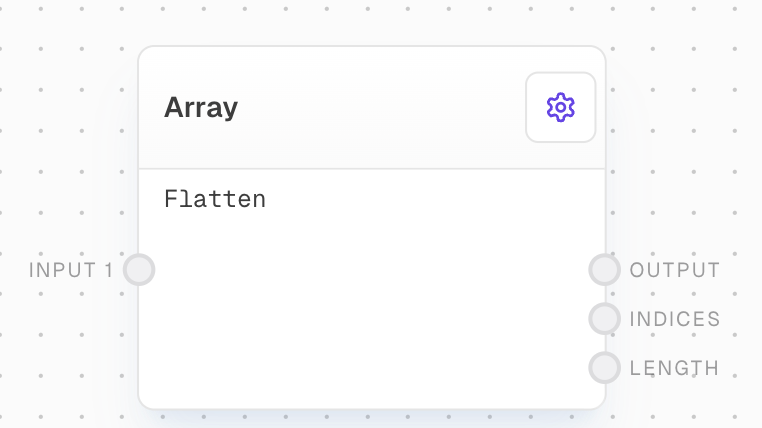
The Array Block is used to construct an array from one or more inputs of any type. It can also be used to merge multiple arrays into a single array using the `Flatten` setting.
By default, inputs will be flattened, so if any of the inputs are arrays themselves, they will be merged into the output array. This behavior can be disabled by unchecking the `Flatten` setting.
 ## Inputs
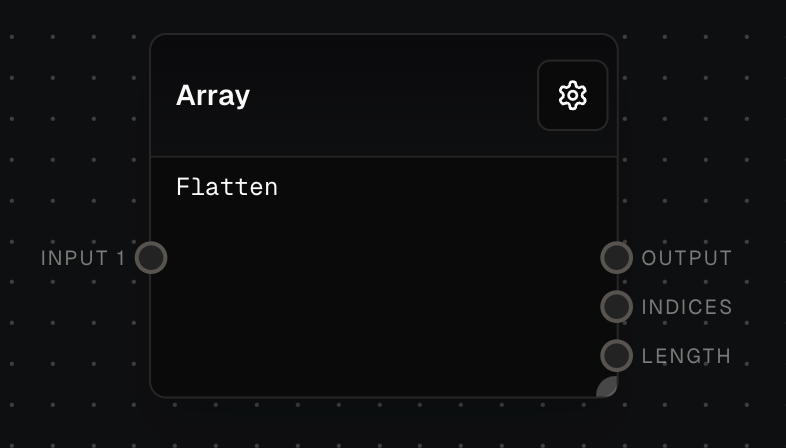
An input to create the array from. If an array, will be flattened if the "Flatten" option is enabled. The number of inputs is dynamic based on how many connections there are.
## Outputs
The array created from the inputs.
The indices of the array. I.e. \[0, 1, 2, 3, etc]. Useful for zipping with the output array to get the indexes.
The length of the output array.
## Editor Settings
If enabled, array inputs will be flattened before joining.
If enabled, array inputs will be flattened recursively.
## Example: Creating an Array from Multiple Inputs
1. Add an Array Block to your flow.
2. Connect three Text blocks with values `"Hello"`, `"World"`, and `"!"` to `Input 1`, `Input 2`, and `Input 3` of the Array Block respectively.
The `Output` of the Array Block will be `["Hello", "World", "!"]`.
## Example: Creating an Array from Array Inputs
1. Add an Array Block to your flow.
2. Connect two Array blocks with values `["One", "Two"]` and `["Three", "Four"]` to `Input 1` and `Input 2` of the Array Block.
3. Enable the `Flatten` setting.
The `Output` of the Array Block will be `["One", "Two", "Three", "Four"]`.
## Example: Using the Indices Output
1. Add an Array Block with value `["Apple", "Banana", "Cherry"]`.
2. Add a Text Block with text `"[{{index}}] - {{fruit}}"`.
3. Connect the `Output` of the Array Block to the `Fruit` input of the Text Block.
4. Connect the `Indices` output of the Array Block to the `Index` input of the Text Block.
5. Enable the `Split` setting on the Text Block.
The `Output` of the Text Block will be `["[0] - Apple", "[1] - Banana", "[2] - Cherry"]`.
## Flattening Arrays
The `Flatten` setting treats each element of an array input as a separate element to be added to the main array. The `Deep` setting recursively flattens all array inputs.
With flatten disabled, you can get arrays of arrays. These are not well supported in Odella and you may have to use a [Code Block](/block-reference/advanced/code) to work with them.
## Error Handling
If an input is missing or null, the Array Block will simply ignore it during the array creation process.
## FAQ
The Array Block will treat it as a single element to be added to the array.
Yes. If `Flatten` is enabled, each element of the input array will be treated as a separate element. If disabled, the input array will be added as a single element.
The Array Block will simply ignore it during the array creation process.
## See Also
* [Code Block](/block-reference/advanced/code)
* [Text Block](/block-reference/data/text)
* [Number Block](/block-reference/data/number)
* [Extract Object Path Block](/block-reference/modifiers/extract-object-path)
* [Pop Block](/block-reference/modifiers/pop)
## Inputs
An input to create the array from. If an array, will be flattened if the "Flatten" option is enabled. The number of inputs is dynamic based on how many connections there are.
## Outputs
The array created from the inputs.
The indices of the array. I.e. \[0, 1, 2, 3, etc]. Useful for zipping with the output array to get the indexes.
The length of the output array.
## Editor Settings
If enabled, array inputs will be flattened before joining.
If enabled, array inputs will be flattened recursively.
## Example: Creating an Array from Multiple Inputs
1. Add an Array Block to your flow.
2. Connect three Text blocks with values `"Hello"`, `"World"`, and `"!"` to `Input 1`, `Input 2`, and `Input 3` of the Array Block respectively.
The `Output` of the Array Block will be `["Hello", "World", "!"]`.
## Example: Creating an Array from Array Inputs
1. Add an Array Block to your flow.
2. Connect two Array blocks with values `["One", "Two"]` and `["Three", "Four"]` to `Input 1` and `Input 2` of the Array Block.
3. Enable the `Flatten` setting.
The `Output` of the Array Block will be `["One", "Two", "Three", "Four"]`.
## Example: Using the Indices Output
1. Add an Array Block with value `["Apple", "Banana", "Cherry"]`.
2. Add a Text Block with text `"[{{index}}] - {{fruit}}"`.
3. Connect the `Output` of the Array Block to the `Fruit` input of the Text Block.
4. Connect the `Indices` output of the Array Block to the `Index` input of the Text Block.
5. Enable the `Split` setting on the Text Block.
The `Output` of the Text Block will be `["[0] - Apple", "[1] - Banana", "[2] - Cherry"]`.
## Flattening Arrays
The `Flatten` setting treats each element of an array input as a separate element to be added to the main array. The `Deep` setting recursively flattens all array inputs.
With flatten disabled, you can get arrays of arrays. These are not well supported in Odella and you may have to use a [Code Block](/block-reference/advanced/code) to work with them.
## Error Handling
If an input is missing or null, the Array Block will simply ignore it during the array creation process.
## FAQ
The Array Block will treat it as a single element to be added to the array.
Yes. If `Flatten` is enabled, each element of the input array will be treated as a separate element. If disabled, the input array will be added as a single element.
The Array Block will simply ignore it during the array creation process.
## See Also
* [Code Block](/block-reference/advanced/code)
* [Text Block](/block-reference/data/text)
* [Number Block](/block-reference/data/number)
* [Extract Object Path Block](/block-reference/modifiers/extract-object-path)
* [Pop Block](/block-reference/modifiers/pop)