> ## Documentation Index
> Fetch the complete documentation index at: https://docs.odella.ai/llms.txt
> Use this file to discover all available pages before exploring further.
# Bool Block
> Output a boolean constant or convert an input value into a boolean
## Overview
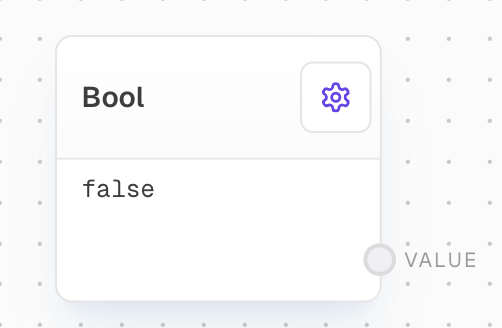
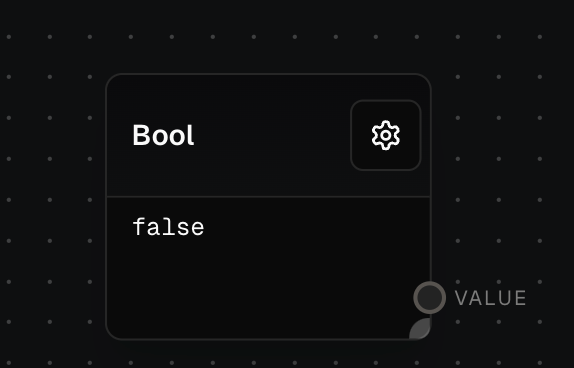
The Bool Block is used to output a boolean constant or convert an input value into a boolean. It's particularly useful when you need to create a boolean value for use in other blocks, such as the [If Block](/block-reference/logic/if-else) or [If/Else Block](/block-reference/logic/if-else).
 ## Inputs
The value to be converted to a boolean. This input is only available if "Use Value Input" is enabled.
## Outputs
The boolean value. If "Use Value Input" is enabled, this will be the input value converted to a boolean. Otherwise, outputs the constant value specified in settings.
## Editor Settings
The constant boolean value to output. This setting is only available if "Use Value Input" is disabled.
If enabled, the block will convert an input value to a boolean. If disabled, the block will output the constant boolean value specified in the Value setting.
The width of the block in pixels.
Whether the block is hidden in the block menu.
## Conversion Rules
The Bool Block follows JavaScript's rules for truthy and falsy values when converting input values to booleans. If no input is connected when "Use Value Input" is enabled, it will fall back to using the Value setting.
## Example: Using a Constant Boolean Value
1. Add a Bool Block to your flow.
2. Set the `Value` setting to `true`.
3. Run the flow. The `Value` output of the Bool Block will be `true`.
## Example: Converting an Input to a Boolean
1. Add a Bool Block to your flow.
2. Enable the `Use Value Input` setting.
3. Add a [Text Block](/block-reference/data/text) to your flow and set the text to `"Hello"`.
4. Connect the output of the Text Block to the `Input` of the Bool Block.
5. Run the flow. The `Value` output of the Bool Block will be `true`, because the string `"Hello"` is a truthy value in JavaScript.
## Error Handling
The Bool Block cannot error under normal circumstances. If "Use Value Input" is enabled and no input is connected, the block will fall back to using the Value setting.
## FAQ
The following values are considered falsy:
* `false`
* `0`
* `''` (empty string)
* `null`
* `undefined`
* `NaN`
All other values are considered truthy.
The block will fall back to using the Value setting specified in the editor settings.
## See Also
* [If Block](/block-reference/logic/if-else)
* [Match Block](/block-reference/logic/match)
* [Text Block](/block-reference/data/text)
* [Array Block](/block-reference/data/array)
* [Number Block](/block-reference/data/number)
## Inputs
The value to be converted to a boolean. This input is only available if "Use Value Input" is enabled.
## Outputs
The boolean value. If "Use Value Input" is enabled, this will be the input value converted to a boolean. Otherwise, outputs the constant value specified in settings.
## Editor Settings
The constant boolean value to output. This setting is only available if "Use Value Input" is disabled.
If enabled, the block will convert an input value to a boolean. If disabled, the block will output the constant boolean value specified in the Value setting.
The width of the block in pixels.
Whether the block is hidden in the block menu.
## Conversion Rules
The Bool Block follows JavaScript's rules for truthy and falsy values when converting input values to booleans. If no input is connected when "Use Value Input" is enabled, it will fall back to using the Value setting.
## Example: Using a Constant Boolean Value
1. Add a Bool Block to your flow.
2. Set the `Value` setting to `true`.
3. Run the flow. The `Value` output of the Bool Block will be `true`.
## Example: Converting an Input to a Boolean
1. Add a Bool Block to your flow.
2. Enable the `Use Value Input` setting.
3. Add a [Text Block](/block-reference/data/text) to your flow and set the text to `"Hello"`.
4. Connect the output of the Text Block to the `Input` of the Bool Block.
5. Run the flow. The `Value` output of the Bool Block will be `true`, because the string `"Hello"` is a truthy value in JavaScript.
## Error Handling
The Bool Block cannot error under normal circumstances. If "Use Value Input" is enabled and no input is connected, the block will fall back to using the Value setting.
## FAQ
The following values are considered falsy:
* `false`
* `0`
* `''` (empty string)
* `null`
* `undefined`
* `NaN`
All other values are considered truthy.
The block will fall back to using the Value setting specified in the editor settings.
## See Also
* [If Block](/block-reference/logic/if-else)
* [Match Block](/block-reference/logic/match)
* [Text Block](/block-reference/data/text)
* [Array Block](/block-reference/data/array)
* [Number Block](/block-reference/data/number)