> ## Documentation Index
> Fetch the complete documentation index at: https://docs.odella.ai/llms.txt
> Use this file to discover all available pages before exploring further.
# Text to File Block
> Convert text or markdown into styled document files
## Overview
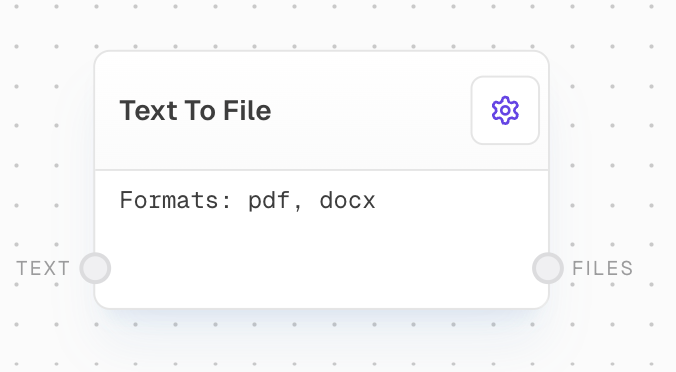
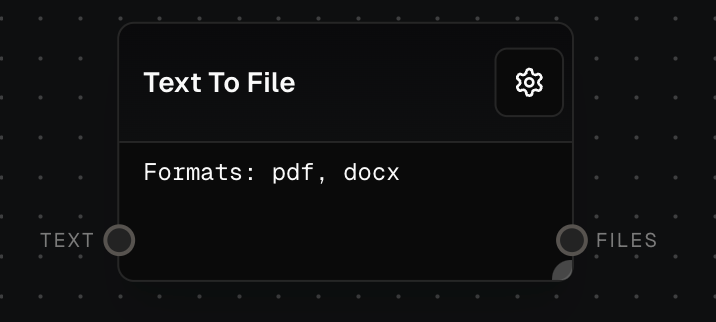
The Text to File Block transforms plain text or markdown into styled document files. This block is particularly useful for creating professional-looking documents from simple text input. It supports multiple output formats, allowing you to generate files that can be easily shared or further edited in popular document processing applications.
 ## Inputs
The text to convert to files. The input will be coerced to a string if needed.
## Outputs
The converted file output in the specified formats.
The time taken to process the conversion in milliseconds.
## Editor Settings
The output file formats to generate. Supported formats:
* pdf: Portable Document Format
* docx: Microsoft Word Document
## What is Markdown?
Markdown is a simple way to format text that looks great on any device. It doesn't do anything fancy like change font sizes or colors, but it does make it easy to create:
* **Bold** or *italic* text
* Lists (like this one!)
* Headers of different sizes
* Links to websites
* And more!
You don't need to know markdown to use this block, but if you do, you can create more structured and styled documents easily.
## Example: Creating a PDF Report
1. Add a Text to File block to your flow.
2. Connect a Text block with your report content to the `text` input. You can use markdown formatting if desired.
3. In the block settings, select "PDF" as the Output Format.
4. Run your flow. The block will output a PDF file containing your styled report.
## Inputs
The text to convert to files. The input will be coerced to a string if needed.
## Outputs
The converted file output in the specified formats.
The time taken to process the conversion in milliseconds.
## Editor Settings
The output file formats to generate. Supported formats:
* pdf: Portable Document Format
* docx: Microsoft Word Document
## What is Markdown?
Markdown is a simple way to format text that looks great on any device. It doesn't do anything fancy like change font sizes or colors, but it does make it easy to create:
* **Bold** or *italic* text
* Lists (like this one!)
* Headers of different sizes
* Links to websites
* And more!
You don't need to know markdown to use this block, but if you do, you can create more structured and styled documents easily.
## Example: Creating a PDF Report
1. Add a Text to File block to your flow.
2. Connect a Text block with your report content to the `text` input. You can use markdown formatting if desired.
3. In the block settings, select "PDF" as the Output Format.
4. Run your flow. The block will output a PDF file containing your styled report.
 ## Error Handling
The block will retry failed attempts with the following behavior:
* Maximum retry time of 5 minutes
* Exponential backoff starting at 500ms up to 5000ms
* Traces failed attempts for debugging
* Aborts if the process is cancelled
Common errors include:
* No Docme endpoint configured in settings
* Empty or missing input text
* API rate limit exceeded (429)
* Internal service errors (500)
Always ensure your environment is correctly configured with a Docme endpoint and that input text is properly formatted.
## FAQ
No, you don't need to know markdown. You can input plain text, and the block will still convert it into a styled document. However, knowing markdown can help you create more structured and formatted documents easily.
Yes, you can select multiple output formats in the block settings. The block will generate a file for each selected format and return them in the output array.
If you're using markdown and include image links, the block will attempt to download and embed these images in the output files. However, other media types may not be supported, depending on the output format.
## See Also
* [Text Block](/block-reference/data/text)
* [File Block](/block-reference/data/file)
* [Draft Block](/block-reference/draft/draft)
## Error Handling
The block will retry failed attempts with the following behavior:
* Maximum retry time of 5 minutes
* Exponential backoff starting at 500ms up to 5000ms
* Traces failed attempts for debugging
* Aborts if the process is cancelled
Common errors include:
* No Docme endpoint configured in settings
* Empty or missing input text
* API rate limit exceeded (429)
* Internal service errors (500)
Always ensure your environment is correctly configured with a Docme endpoint and that input text is properly formatted.
## FAQ
No, you don't need to know markdown. You can input plain text, and the block will still convert it into a styled document. However, knowing markdown can help you create more structured and formatted documents easily.
Yes, you can select multiple output formats in the block settings. The block will generate a file for each selected format and return them in the output array.
If you're using markdown and include image links, the block will attempt to download and embed these images in the output files. However, other media types may not be supported, depending on the output format.
## See Also
* [Text Block](/block-reference/data/text)
* [File Block](/block-reference/data/file)
* [Draft Block](/block-reference/draft/draft)