> ## Documentation Index
> Fetch the complete documentation index at: https://docs.odella.ai/llms.txt
> Use this file to discover all available pages before exploring further.
# Read Binary Block
> Read the contents of a file as binary data
 ## Overview
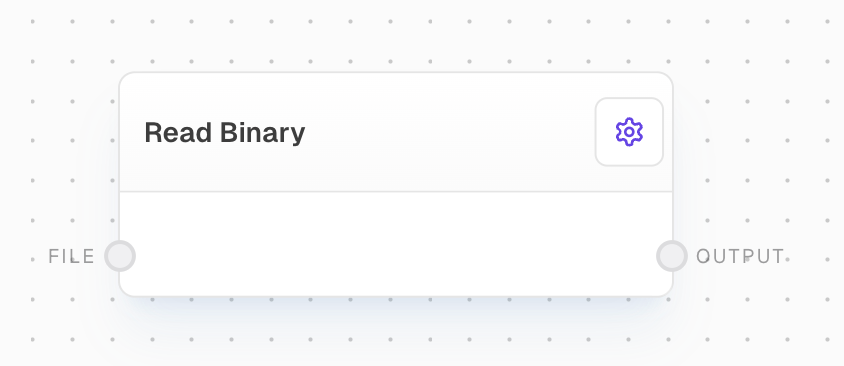
The Read Binary Block allows you to read the contents of a file as raw binary data. This is particularly useful when working with non-text files or when you need to process file contents in their original binary format.
## Inputs
The input file to be read as binary. The file must have a valid media type.
## Outputs
The raw binary content of the input file as a Uint8Array.
## Editor Settings
This block does not have any configurable settings in the editor.
## Example: Reading an Image File as Binary
1. Add a Read Binary block to your flow.
2. Connect a File block containing an image file to the `file` input of the Read Binary block.
3. Run your flow. The block will output the raw binary data of the image file.
## Error Handling
* If the input file is missing or invalid, the block will return an error.
* If the file is missing a media type, the block will throw an error.
* If a FileProvider is needed to load from URL but not available, the block will throw an error.
* If there are issues reading the file (e.g., file permissions, corrupted file), the block will fail and provide error details.
Be cautious when working with large files, as reading them entirely into memory as binary data may consume significant resources.
## FAQ
The Read Binary block can read any type of file, including text files, images, audio files, executables, and more. It treats all files as raw binary data.
While the Read File block is optimized for reading text files and can perform encoding conversions, the Read Binary block reads the raw binary content of any file without any interpretation or conversion.
The block itself doesn't impose a specific size limit, but reading very large files may be limited by available memory and system resources. For extremely large files, consider using streaming or chunking approaches.
## See Also
* [Read File Block](/block-reference/loaders/read-text)
* [File Block](/block-reference/data/file)
* [Write Binary Block](/block-reference/io/graph-output)
## Overview
The Read Binary Block allows you to read the contents of a file as raw binary data. This is particularly useful when working with non-text files or when you need to process file contents in their original binary format.
## Inputs
The input file to be read as binary. The file must have a valid media type.
## Outputs
The raw binary content of the input file as a Uint8Array.
## Editor Settings
This block does not have any configurable settings in the editor.
## Example: Reading an Image File as Binary
1. Add a Read Binary block to your flow.
2. Connect a File block containing an image file to the `file` input of the Read Binary block.
3. Run your flow. The block will output the raw binary data of the image file.
## Error Handling
* If the input file is missing or invalid, the block will return an error.
* If the file is missing a media type, the block will throw an error.
* If a FileProvider is needed to load from URL but not available, the block will throw an error.
* If there are issues reading the file (e.g., file permissions, corrupted file), the block will fail and provide error details.
Be cautious when working with large files, as reading them entirely into memory as binary data may consume significant resources.
## FAQ
The Read Binary block can read any type of file, including text files, images, audio files, executables, and more. It treats all files as raw binary data.
While the Read File block is optimized for reading text files and can perform encoding conversions, the Read Binary block reads the raw binary content of any file without any interpretation or conversion.
The block itself doesn't impose a specific size limit, but reading very large files may be limited by available memory and system resources. For extremely large files, consider using streaming or chunking approaches.
## See Also
* [Read File Block](/block-reference/loaders/read-text)
* [File Block](/block-reference/data/file)
* [Write Binary Block](/block-reference/io/graph-output)