> ## Documentation Index
> Fetch the complete documentation index at: https://docs.odella.ai/llms.txt
> Use this file to discover all available pages before exploring further.
# Passthrough Block
> Pass input values through without modification
 ## Overview
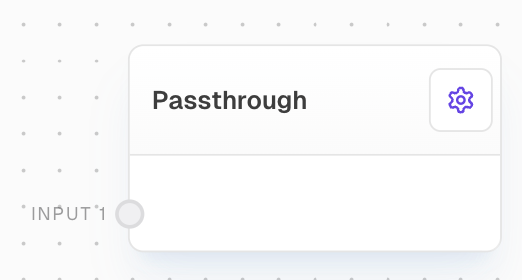
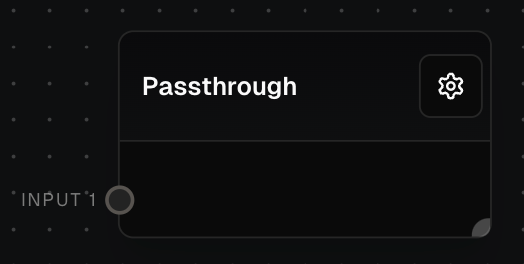
The Passthrough Block is a simple utility that passes input values to outputs without any modifications. It's useful for scenarios where you need to route values through specific paths in your flow without altering them, such as grouping values from different branches or controlling wire flow.
## Key Features
* Dynamically creates input and output ports based on connections
* Passes values through without modification
* Hidden by default in the block menu
* Useful for organizing complex flows
## Inputs
The ith input to be passed through. The number of inputs is dynamic based on the connections made to the block. Each input port is labeled as "Input 1", "Input 2", etc.
## Outputs
The ith output from the passthrough. Each output corresponds to its respective input, passing through the exact same value. The number of outputs is always one less than the number of inputs.
## Editor Settings
Whether the block is hidden in the block menu. This block is hidden by default since it's primarily used internally.
The width of the block in pixels.
## Example: Grouping Values
1. Create multiple branches in your flow that produce different values.
2. Add a Passthrough Block at the point where you want to group these values.
3. Connect the outputs from different branches to the Passthrough Block's inputs.
4. The Passthrough Block will now group these values without modifying them.
## Error Handling
The Passthrough Block does not perform any error handling. It simply passes through whatever values it receives on its inputs to the corresponding outputs. If an input is control-flow-excluded, the corresponding output will also be control-flow-excluded.
## Technical Details
* The block dynamically creates input ports based on the highest numbered connected input port plus one
* The number of output ports is always one less than the number of input ports
* Input ports are named "input1", "input2", etc.
* Output ports are named "output1", "output2", etc.
* The block belongs to the "Logic" group in the block menu
## FAQ
If an input is missing or null, the corresponding output will also be missing or null. The Passthrough Block does not modify or validate inputs in any way.
No, the Passthrough Block does not introduce any delay. For timed delays, consider using the Delay Block instead.
The Passthrough Block is primarily used internally for organizing flows and is hidden by default to avoid cluttering the block menu. However, it can still be used by directly creating it in your flow.
## See Also
* [If Block](/block-reference/logic/if-else)
* [Match Block](/block-reference/logic/match)
* [Coalesce Block](/block-reference/logic/coalesce)
* [Race Inputs Block](/block-reference/logic/race-inputs)
## Overview
The Passthrough Block is a simple utility that passes input values to outputs without any modifications. It's useful for scenarios where you need to route values through specific paths in your flow without altering them, such as grouping values from different branches or controlling wire flow.
## Key Features
* Dynamically creates input and output ports based on connections
* Passes values through without modification
* Hidden by default in the block menu
* Useful for organizing complex flows
## Inputs
The ith input to be passed through. The number of inputs is dynamic based on the connections made to the block. Each input port is labeled as "Input 1", "Input 2", etc.
## Outputs
The ith output from the passthrough. Each output corresponds to its respective input, passing through the exact same value. The number of outputs is always one less than the number of inputs.
## Editor Settings
Whether the block is hidden in the block menu. This block is hidden by default since it's primarily used internally.
The width of the block in pixels.
## Example: Grouping Values
1. Create multiple branches in your flow that produce different values.
2. Add a Passthrough Block at the point where you want to group these values.
3. Connect the outputs from different branches to the Passthrough Block's inputs.
4. The Passthrough Block will now group these values without modifying them.
## Error Handling
The Passthrough Block does not perform any error handling. It simply passes through whatever values it receives on its inputs to the corresponding outputs. If an input is control-flow-excluded, the corresponding output will also be control-flow-excluded.
## Technical Details
* The block dynamically creates input ports based on the highest numbered connected input port plus one
* The number of output ports is always one less than the number of input ports
* Input ports are named "input1", "input2", etc.
* Output ports are named "output1", "output2", etc.
* The block belongs to the "Logic" group in the block menu
## FAQ
If an input is missing or null, the corresponding output will also be missing or null. The Passthrough Block does not modify or validate inputs in any way.
No, the Passthrough Block does not introduce any delay. For timed delays, consider using the Delay Block instead.
The Passthrough Block is primarily used internally for organizing flows and is hidden by default to avoid cluttering the block menu. However, it can still be used by directly creating it in your flow.
## See Also
* [If Block](/block-reference/logic/if-else)
* [Match Block](/block-reference/logic/match)
* [Coalesce Block](/block-reference/logic/coalesce)
* [Race Inputs Block](/block-reference/logic/race-inputs)