> ## Documentation Index
> Fetch the complete documentation index at: https://docs.odella.ai/llms.txt
> Use this file to discover all available pages before exploring further.
# Race Inputs Block
> Handle multiple inputs and output the value of the first input to finish
 ## Overview
The Race Inputs Block is used to handle multiple inputs and output the value of the first input to finish, force-cancelling the other inputs. This block is particularly useful when you have multiple operations that can potentially fulfill the same requirement, and you want to use the result of the operation that finishes first.
## Key Features
* Dynamically creates input ports based on connections
* Outputs the first completed input value
* Cancels remaining inputs after first completion
* Hidden by default in the block menu
* Belongs to the Logic group
## Inputs
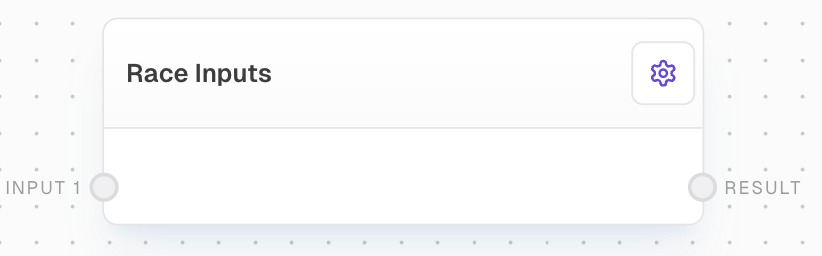
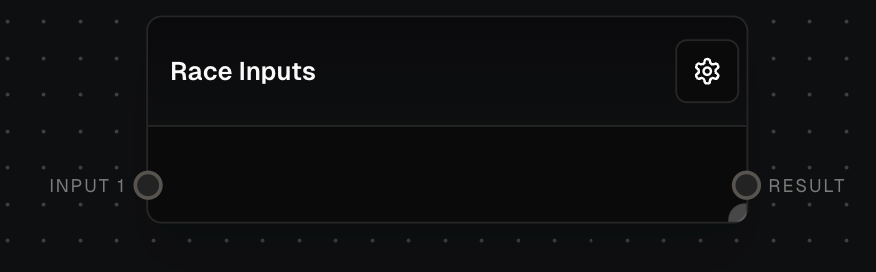
The ith input to be raced. The number of inputs is dynamic based on the connections made to the block. Each input port is labeled as "Input 1", "Input 2", etc.
## Outputs
The value of the first input to finish. If no inputs finish or all inputs are control-flow-excluded, this output will be control-flow-excluded.
## Editor Settings
Whether the block is hidden in the block menu. This block is hidden by default.
The width of the block in pixels.
## Example: Race two Chats
1. Create a new flow and add two Chat Blocks.
2. Add a Prompt Block with a quick-to-answer prompt like "What is your favorite color?" Connect it to the first Chat Block's `Prompt` input.
3. Add another Prompt Block with a longer prompt like "Describe in detail the story of Hamlet." Connect it to the second Chat Block's `Prompt` input.
4. Connect both Chat Block outputs to a Race Inputs block.
5. Run the flow. The first Chat will finish quickly, and the Race Inputs block will output its response. The second Chat Block gets canceled.
## Error Handling
The Race Inputs Block will not error if none of the inputs finish. Instead, the `Result` output will be control-flow-excluded. If all inputs are control-flow-excluded, the output will also be control-flow-excluded.
## Technical Details
* Input ports are dynamically created based on the highest numbered connected input port plus one
* Input ports are named "input1", "input2", etc.
* The output port is named "result"
## FAQ
If none of the inputs finish, the Race Inputs Block will not error. The `Result` output will be control-flow-excluded.
Yes, the Race Inputs Block can handle inputs of any data type.
If one of the inputs errors, the Race Inputs Block will not be affected. It will still output the value of the first input to finish, regardless of whether other inputs error.
## See Also
* [HTTP Call Block](/block-reference/advanced/http-call)
* [If Block](/block-reference/logic/if-else)
* [Match Block](/block-reference/logic/match)
* [Coalesce Block](/block-reference/logic/coalesce)
## Overview
The Race Inputs Block is used to handle multiple inputs and output the value of the first input to finish, force-cancelling the other inputs. This block is particularly useful when you have multiple operations that can potentially fulfill the same requirement, and you want to use the result of the operation that finishes first.
## Key Features
* Dynamically creates input ports based on connections
* Outputs the first completed input value
* Cancels remaining inputs after first completion
* Hidden by default in the block menu
* Belongs to the Logic group
## Inputs
The ith input to be raced. The number of inputs is dynamic based on the connections made to the block. Each input port is labeled as "Input 1", "Input 2", etc.
## Outputs
The value of the first input to finish. If no inputs finish or all inputs are control-flow-excluded, this output will be control-flow-excluded.
## Editor Settings
Whether the block is hidden in the block menu. This block is hidden by default.
The width of the block in pixels.
## Example: Race two Chats
1. Create a new flow and add two Chat Blocks.
2. Add a Prompt Block with a quick-to-answer prompt like "What is your favorite color?" Connect it to the first Chat Block's `Prompt` input.
3. Add another Prompt Block with a longer prompt like "Describe in detail the story of Hamlet." Connect it to the second Chat Block's `Prompt` input.
4. Connect both Chat Block outputs to a Race Inputs block.
5. Run the flow. The first Chat will finish quickly, and the Race Inputs block will output its response. The second Chat Block gets canceled.
## Error Handling
The Race Inputs Block will not error if none of the inputs finish. Instead, the `Result` output will be control-flow-excluded. If all inputs are control-flow-excluded, the output will also be control-flow-excluded.
## Technical Details
* Input ports are dynamically created based on the highest numbered connected input port plus one
* Input ports are named "input1", "input2", etc.
* The output port is named "result"
## FAQ
If none of the inputs finish, the Race Inputs Block will not error. The `Result` output will be control-flow-excluded.
Yes, the Race Inputs Block can handle inputs of any data type.
If one of the inputs errors, the Race Inputs Block will not be affected. It will still output the value of the first input to finish, regardless of whether other inputs error.
## See Also
* [HTTP Call Block](/block-reference/advanced/http-call)
* [If Block](/block-reference/logic/if-else)
* [Match Block](/block-reference/logic/match)
* [Coalesce Block](/block-reference/logic/coalesce)