> ## Documentation Index
> Fetch the complete documentation index at: https://docs.odella.ai/llms.txt
> Use this file to discover all available pages before exploring further.
# Index Block
> Retrieve values from an array at specified indices
 ## Overview
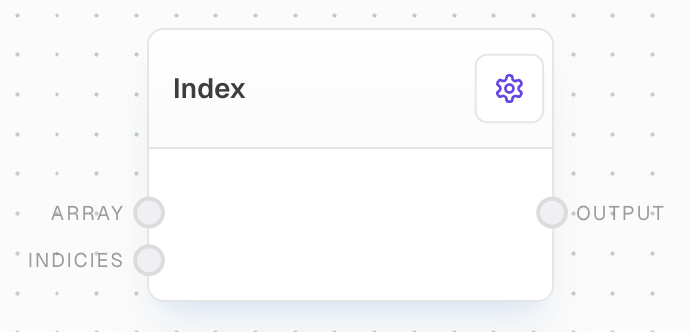
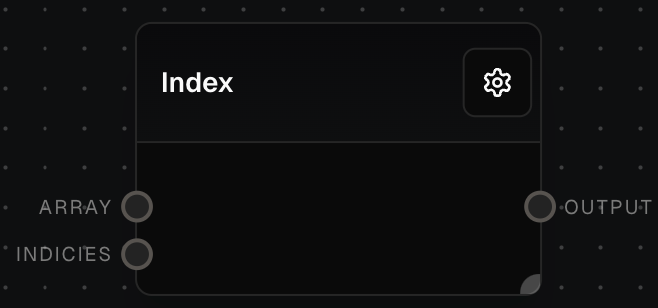
The Index Block allows you to retrieve values from an array at specified indices. It can return a single value when given a single index or multiple values when provided with an array of indices. This block is particularly useful for extracting specific elements from arrays or for reordering array elements based on a set of indices.
## Key Features
* Retrieve a single value at a specified index
* Extract multiple values using an array of indices
* Supports negative indices for accessing elements from the end of the array
* Option to invert the selection to get all values except those at specified indices
## Inputs
The input array from which to retrieve values.
The index or array of indices to retrieve. Can be a single number or an array of numbers.
## Outputs
The value(s) retrieved from the input array at the specified index/indices. If a single index is provided or only one value is selected, this will be a single value. If multiple indices are provided, this will be an array of values. If no values are selected, this output will be control-flow-excluded.
## Editor Settings
When enabled, inverts the selection to return all values except those at the specified indices.
## Example: Extracting Specific Elements from an Array
1. Create an Array Block with values `[10, 20, 30, 40, 50]`.
2. Add an Index Block and connect the Array Block to its `array` input.
3. Create a Number Block with value `2` (or an Array Block with values `[0, 2, 4]`) and connect it to the Index Block's `indicies` input.
4. Run the flow. The Index Block's `output` will be `30` (or `[10, 30, 50]` if using an array of indices).
## Error Handling
* If an index is out of range (less than 0 or greater than array length), the block will throw an error
* If the array input is not an array, the block will throw an error
* If no values are selected, the output will be control-flow-excluded
## FAQ
Yes, negative indices are supported. They count from the end of the array, so -1 refers to the last element, -2 to the second-to-last, and so on.
If you provide an array of indices with duplicates, the block will return the corresponding values, including duplicates. For example, with input array `[10, 20, 30]` and indices `[0, 1, 1]`, the output will be `[10, 20, 20]`.
When invert is enabled, the block will return all values from the array except those at the specified indices. For example, with input array `[10, 20, 30, 40, 50]` and indices `[1, 3]`, the output with invert enabled would be `[10, 30, 50]`.
## See Also
* [Array Block](/block-reference/data/array)
* [Filter Block](/block-reference/modifiers/filter)
* [Map Block](/block-reference/modifiers/flatten)
## Overview
The Index Block allows you to retrieve values from an array at specified indices. It can return a single value when given a single index or multiple values when provided with an array of indices. This block is particularly useful for extracting specific elements from arrays or for reordering array elements based on a set of indices.
## Key Features
* Retrieve a single value at a specified index
* Extract multiple values using an array of indices
* Supports negative indices for accessing elements from the end of the array
* Option to invert the selection to get all values except those at specified indices
## Inputs
The input array from which to retrieve values.
The index or array of indices to retrieve. Can be a single number or an array of numbers.
## Outputs
The value(s) retrieved from the input array at the specified index/indices. If a single index is provided or only one value is selected, this will be a single value. If multiple indices are provided, this will be an array of values. If no values are selected, this output will be control-flow-excluded.
## Editor Settings
When enabled, inverts the selection to return all values except those at the specified indices.
## Example: Extracting Specific Elements from an Array
1. Create an Array Block with values `[10, 20, 30, 40, 50]`.
2. Add an Index Block and connect the Array Block to its `array` input.
3. Create a Number Block with value `2` (or an Array Block with values `[0, 2, 4]`) and connect it to the Index Block's `indicies` input.
4. Run the flow. The Index Block's `output` will be `30` (or `[10, 30, 50]` if using an array of indices).
## Error Handling
* If an index is out of range (less than 0 or greater than array length), the block will throw an error
* If the array input is not an array, the block will throw an error
* If no values are selected, the output will be control-flow-excluded
## FAQ
Yes, negative indices are supported. They count from the end of the array, so -1 refers to the last element, -2 to the second-to-last, and so on.
If you provide an array of indices with duplicates, the block will return the corresponding values, including duplicates. For example, with input array `[10, 20, 30]` and indices `[0, 1, 1]`, the output will be `[10, 20, 20]`.
When invert is enabled, the block will return all values from the array except those at the specified indices. For example, with input array `[10, 20, 30, 40, 50]` and indices `[1, 3]`, the output with invert enabled would be `[10, 30, 50]`.
## See Also
* [Array Block](/block-reference/data/array)
* [Filter Block](/block-reference/modifiers/filter)
* [Map Block](/block-reference/modifiers/flatten)