> ## Documentation Index
> Fetch the complete documentation index at: https://docs.odella.ai/llms.txt
> Use this file to discover all available pages before exploring further.
# Extract JSON Block
> Extract JSON data from a string input
 ## Overview
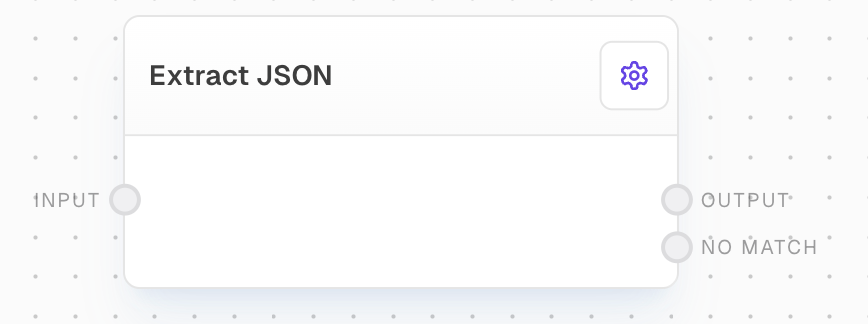
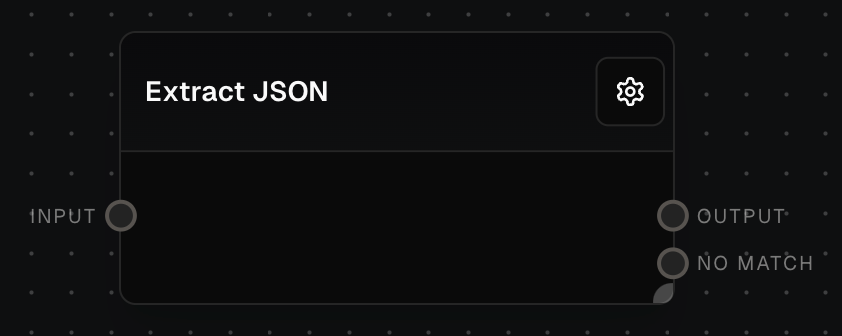
The Extract JSON Block finds and parses the first JSON object or array in the input text. It attempts to locate JSON data between curly braces `{}` or square brackets `[]` and parse it into a JavaScript object.
## Inputs
The input string containing JSON data to be extracted. The block will search for the first valid JSON object or array in this string.
## Outputs
The extracted and parsed JSON data as a JavaScript object. If no valid JSON is found or parsing fails, this output will be control-flow-excluded.
If no valid JSON could be parsed, this output will contain the original input string. If JSON was successfully parsed, this output will be control-flow-excluded.
## Example: Extracting JSON from Text
1. Add an Extract JSON block to your flow
2. Connect a string containing JSON data to the input
3. The block will attempt to find and parse the first JSON object
4. If successful, the parsed object will be available at the `output` port
5. If unsuccessful, the original string will be available at the `noMatch` port
## Error Handling
* If no valid JSON is found or if parsing fails, the `output` port will be control-flow-excluded and the original input string will be available at the `noMatch` port
* If valid JSON is found and parsed successfully, the `noMatch` port will be control-flow-excluded and the parsed object will be available at the `output` port
## FAQ
The block can extract both JSON objects (enclosed in curly braces {}) and JSON arrays (enclosed in square brackets \[]). It will find the first occurrence of either structure in the input string.
The block will only extract the first valid JSON object or array it finds in the input string. Subsequent JSON objects will be ignored.
If the block cannot parse valid JSON from the input string, it will output the original string to the `noMatch` port and control-flow-exclude the `output` port.
## See Also
* [Object Block](/block-reference/data/object)
* [HTTP Call Block](/block-reference/advanced/http-call)
## Overview
The Extract JSON Block finds and parses the first JSON object or array in the input text. It attempts to locate JSON data between curly braces `{}` or square brackets `[]` and parse it into a JavaScript object.
## Inputs
The input string containing JSON data to be extracted. The block will search for the first valid JSON object or array in this string.
## Outputs
The extracted and parsed JSON data as a JavaScript object. If no valid JSON is found or parsing fails, this output will be control-flow-excluded.
If no valid JSON could be parsed, this output will contain the original input string. If JSON was successfully parsed, this output will be control-flow-excluded.
## Example: Extracting JSON from Text
1. Add an Extract JSON block to your flow
2. Connect a string containing JSON data to the input
3. The block will attempt to find and parse the first JSON object
4. If successful, the parsed object will be available at the `output` port
5. If unsuccessful, the original string will be available at the `noMatch` port
## Error Handling
* If no valid JSON is found or if parsing fails, the `output` port will be control-flow-excluded and the original input string will be available at the `noMatch` port
* If valid JSON is found and parsed successfully, the `noMatch` port will be control-flow-excluded and the parsed object will be available at the `output` port
## FAQ
The block can extract both JSON objects (enclosed in curly braces {}) and JSON arrays (enclosed in square brackets \[]). It will find the first occurrence of either structure in the input string.
The block will only extract the first valid JSON object or array it finds in the input string. Subsequent JSON objects will be ignored.
If the block cannot parse valid JSON from the input string, it will output the original string to the `noMatch` port and control-flow-exclude the `output` port.
## See Also
* [Object Block](/block-reference/data/object)
* [HTTP Call Block](/block-reference/advanced/http-call)