> ## Documentation Index
> Fetch the complete documentation index at: https://docs.odella.ai/llms.txt
> Use this file to discover all available pages before exploring further.
# Extract Object Path Block
> Extract data from objects or arrays using JSONPath queries
 ## Overview
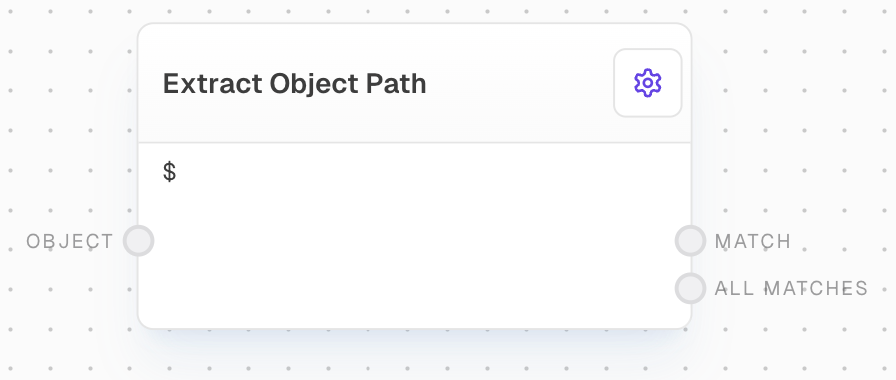
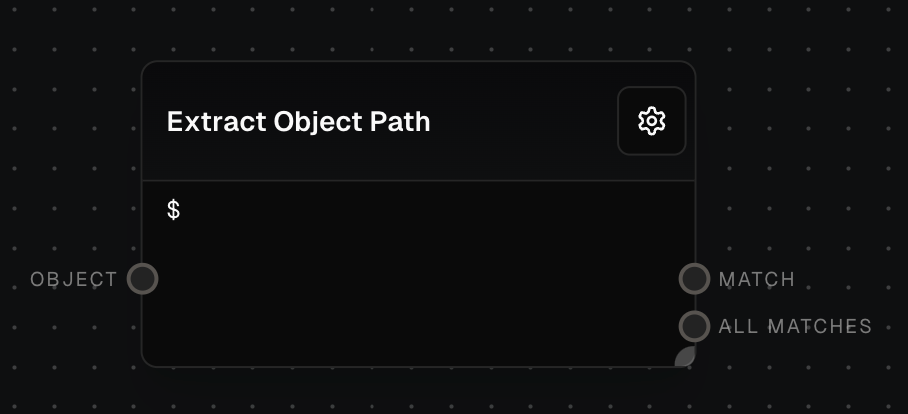
The Extract Object Path Block allows you to run [JSONPath](https://www.npmjs.com/package/jsonpath-plus) queries on objects or arrays. This block is particularly useful for extracting specific data from complex JSON structures, such as API responses or nested objects.
## Key Features
* Extract data using JSONPath queries
* Support for objects, arrays, and other JavaScript values with properties
* Ability to perform complex queries and filtering
* Dynamic path construction using input ports
## Inputs
The object, array, or string to query using the JSONPath.
The JSONPath query to use for extracting properties from the input object. Only available when "Use Path Input" is enabled in settings.
## Outputs
The first value that matches the specified path. If no match is found, this output will be control-flow-excluded.
An array of all values that match the specified path. If no matches are found, this output will run with an empty array.
## Editor Settings
The JSONPath query to use for extracting properties from the input object. Uses JSONPath syntax.
When enabled, allows the path to be provided via an input port instead of being set in the settings.
## Example: Extract a property from an object
1. Create an Object Block with the following JSON:
```json theme={"system"}
{
"name": "John Doe",
"age": 30
}
```
2. Add an Extract Object Path Block and connect the Object Block to it.
3. Set the `Path` of the Extract Object Path Block to `$.name`.
4. Run the flow. The Extract Object Path Block should output `John Doe`.
## Error Handling
* If the path is invalid or not provided, the block will throw an error
* If the path is valid but no value is found, the `match` output will be control-flow-excluded and the `all_matches` output will run with an empty array
* If the input object is undefined or null, it will be treated as null for the JSONPath query
## FAQ
Yes, the Extract Object Path Block can work with arrays and other JavaScript values that have properties, such as strings. For example, you can use `$.length` to get the length of a string.
You can use the HTTP Call Block to make an API request, and then use the Extract Object Path Block to extract specific data from the response.
## See Also
* [Code Block](/block-reference/advanced/code)
* [Object Block](/block-reference/data/object)
* [Array Block](/block-reference/data/array)
* [Extract with Regex Block](/block-reference/modifiers/extract-with-regex)
* [Data Types](/workflow/data-types)
## Overview
The Extract Object Path Block allows you to run [JSONPath](https://www.npmjs.com/package/jsonpath-plus) queries on objects or arrays. This block is particularly useful for extracting specific data from complex JSON structures, such as API responses or nested objects.
## Key Features
* Extract data using JSONPath queries
* Support for objects, arrays, and other JavaScript values with properties
* Ability to perform complex queries and filtering
* Dynamic path construction using input ports
## Inputs
The object, array, or string to query using the JSONPath.
The JSONPath query to use for extracting properties from the input object. Only available when "Use Path Input" is enabled in settings.
## Outputs
The first value that matches the specified path. If no match is found, this output will be control-flow-excluded.
An array of all values that match the specified path. If no matches are found, this output will run with an empty array.
## Editor Settings
The JSONPath query to use for extracting properties from the input object. Uses JSONPath syntax.
When enabled, allows the path to be provided via an input port instead of being set in the settings.
## Example: Extract a property from an object
1. Create an Object Block with the following JSON:
```json theme={"system"}
{
"name": "John Doe",
"age": 30
}
```
2. Add an Extract Object Path Block and connect the Object Block to it.
3. Set the `Path` of the Extract Object Path Block to `$.name`.
4. Run the flow. The Extract Object Path Block should output `John Doe`.
## Error Handling
* If the path is invalid or not provided, the block will throw an error
* If the path is valid but no value is found, the `match` output will be control-flow-excluded and the `all_matches` output will run with an empty array
* If the input object is undefined or null, it will be treated as null for the JSONPath query
## FAQ
Yes, the Extract Object Path Block can work with arrays and other JavaScript values that have properties, such as strings. For example, you can use `$.length` to get the length of a string.
You can use the HTTP Call Block to make an API request, and then use the Extract Object Path Block to extract specific data from the response.
## See Also
* [Code Block](/block-reference/advanced/code)
* [Object Block](/block-reference/data/object)
* [Array Block](/block-reference/data/array)
* [Extract with Regex Block](/block-reference/modifiers/extract-with-regex)
* [Data Types](/workflow/data-types)