> ## Documentation Index
> Fetch the complete documentation index at: https://docs.odella.ai/llms.txt
> Use this file to discover all available pages before exploring further.
# Extract YAML Block
> Extract YAML data from strings and convert to JavaScript objects
 ## Overview
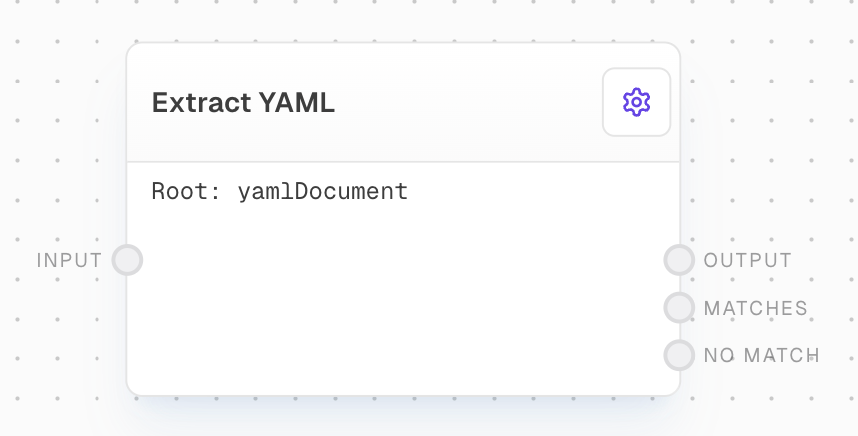
The Extract YAML Block is designed to parse YAML content from input strings and convert it into JavaScript objects. This block is particularly useful when working with configuration files, data serialization, or any scenario where YAML-formatted data needs to be extracted and processed.
## Key Features
* Extract YAML data from input strings with a specified root property name
* Convert YAML to JavaScript objects
* Optional JSONPath querying of extracted YAML
* Configurable error handling for invalid YAML
## Inputs
The string containing YAML data to be extracted.
The name of the root YAML property to extract. Only available when "Use Root Property Name Input" is enabled in settings.
A JSONPath query to extract specific data from the YAML object. Only available when "Use Object Path Input" is enabled in settings.
## Outputs
The extracted and parsed YAML data. If using an Object Path, this will be the first matching value. If no valid YAML is found or no matches are found, this output will be control-flow-excluded.
When using an Object Path, this contains all values that match the path query. Only available when an Object Path is specified.
The raw YAML text that was attempted to be parsed, only output when parsing fails or no matches are found.
## Editor Settings
The name of the root YAML property to extract. The input text must have this property name followed by a colon somewhere in it.
When enabled, allows the root property name to be provided via an input port instead of being set in the settings.
A JSONPath query to extract specific data from the YAML object. Uses JSONPath syntax.
When enabled, allows the object path to be provided via an input port instead of being set in the settings.
## Example: Extracting YAML from a Configuration File
1. Create a new flow and add a Text Block with YAML content that includes a root property name (e.g., `yamlDocument:`).
2. Add an Extract YAML Block and connect the Text Block's output to its `input`.
3. Configure the root property name and optional object path in the settings.
4. Connect the outputs to view the extracted and parsed YAML data.
5. Run the flow to see the results.
## Error Handling
* If no valid YAML is found under the specified root property name, the `output` will be control-flow-excluded and `noMatch` will contain the raw text.
* If an object path is specified but no matches are found, the `output` will be control-flow-excluded.
* If the YAML parsing fails, the `output` will be control-flow-excluded and `noMatch` will contain the attempted YAML text.
## FAQ
The root property name (default: "yamlDocument") is used to locate the YAML content within the input text. The block looks for this property name followed by a colon, and considers all indented text after it as part of the YAML to parse.
The Object Path uses JSONPath syntax to query the parsed YAML object. When specified, it allows you to extract specific values from the YAML structure. The first match is provided in the `output`, while all matches are available in the `matches` output.
## See Also
* [Extract JSON Block](/block-reference/modifiers/extract-json)
* [Extract Object Path Block](/block-reference/modifiers/extract-object-path)
* [Text Block](/block-reference/data/text)
## Overview
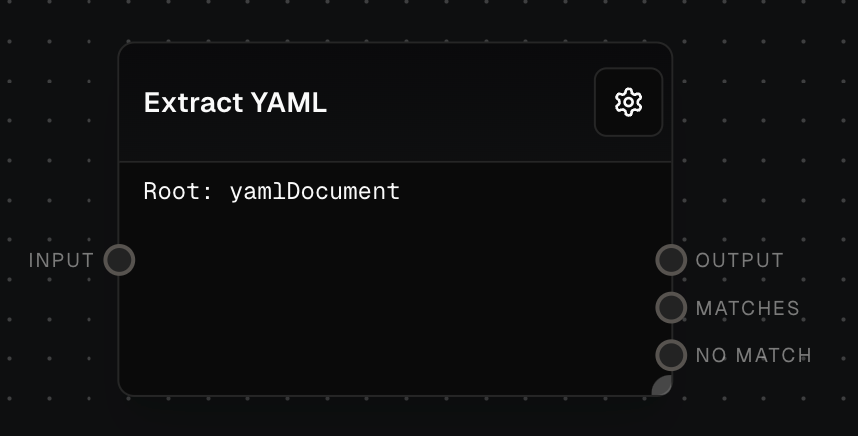
The Extract YAML Block is designed to parse YAML content from input strings and convert it into JavaScript objects. This block is particularly useful when working with configuration files, data serialization, or any scenario where YAML-formatted data needs to be extracted and processed.
## Key Features
* Extract YAML data from input strings with a specified root property name
* Convert YAML to JavaScript objects
* Optional JSONPath querying of extracted YAML
* Configurable error handling for invalid YAML
## Inputs
The string containing YAML data to be extracted.
The name of the root YAML property to extract. Only available when "Use Root Property Name Input" is enabled in settings.
A JSONPath query to extract specific data from the YAML object. Only available when "Use Object Path Input" is enabled in settings.
## Outputs
The extracted and parsed YAML data. If using an Object Path, this will be the first matching value. If no valid YAML is found or no matches are found, this output will be control-flow-excluded.
When using an Object Path, this contains all values that match the path query. Only available when an Object Path is specified.
The raw YAML text that was attempted to be parsed, only output when parsing fails or no matches are found.
## Editor Settings
The name of the root YAML property to extract. The input text must have this property name followed by a colon somewhere in it.
When enabled, allows the root property name to be provided via an input port instead of being set in the settings.
A JSONPath query to extract specific data from the YAML object. Uses JSONPath syntax.
When enabled, allows the object path to be provided via an input port instead of being set in the settings.
## Example: Extracting YAML from a Configuration File
1. Create a new flow and add a Text Block with YAML content that includes a root property name (e.g., `yamlDocument:`).
2. Add an Extract YAML Block and connect the Text Block's output to its `input`.
3. Configure the root property name and optional object path in the settings.
4. Connect the outputs to view the extracted and parsed YAML data.
5. Run the flow to see the results.
## Error Handling
* If no valid YAML is found under the specified root property name, the `output` will be control-flow-excluded and `noMatch` will contain the raw text.
* If an object path is specified but no matches are found, the `output` will be control-flow-excluded.
* If the YAML parsing fails, the `output` will be control-flow-excluded and `noMatch` will contain the attempted YAML text.
## FAQ
The root property name (default: "yamlDocument") is used to locate the YAML content within the input text. The block looks for this property name followed by a colon, and considers all indented text after it as part of the YAML to parse.
The Object Path uses JSONPath syntax to query the parsed YAML object. When specified, it allows you to extract specific values from the YAML structure. The first match is provided in the `output`, while all matches are available in the `matches` output.
## See Also
* [Extract JSON Block](/block-reference/modifiers/extract-json)
* [Extract Object Path Block](/block-reference/modifiers/extract-object-path)
* [Text Block](/block-reference/data/text)