> ## Documentation Index
> Fetch the complete documentation index at: https://docs.odella.ai/llms.txt
> Use this file to discover all available pages before exploring further.
# Filter Block
> Filter an array based on boolean conditions
 ## Overview
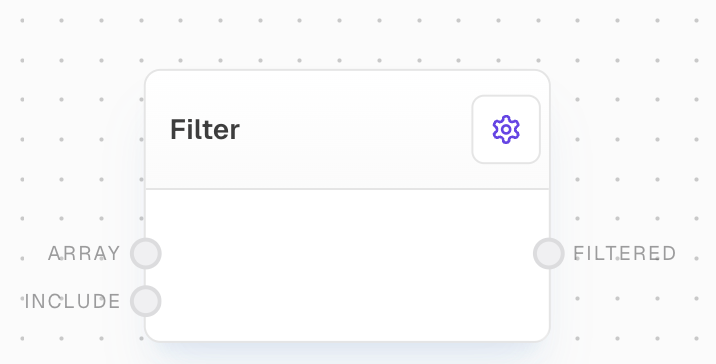
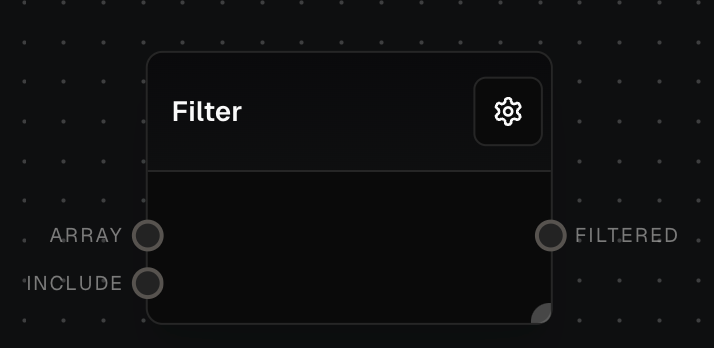
The Filter Block allows you to filter an array based on a corresponding array of boolean values. It takes an array of any data type and an array of boolean values of the same length, then outputs a new array containing only the elements where the corresponding boolean value is `true`.
This block is particularly useful for filtering arrays based on specific conditions, especially when combined with other blocks like [Compare](/block-reference/logic/compare) in a batched operation.
## Inputs
The array to be filtered. Non-array inputs will be coerced into an array.
An array of boolean values indicating whether to include each element in the array. The length of this array should match the length of the array input.
## Outputs
The filtered array, containing only the elements where the corresponding boolean value in the include input was `true`. The output maintains the data type of the input array.
## Example: Filter numbers greater than 3
1. Create an Array Block with values `[1, 2, 3, 4, 5]`.
2. Add a Compare Block, set comparison to `>`, and enable batching.
3. Create a Number Block with value `3`.
4. Connect the Array Block to Compare Block's `A` input, and Number Block to `B` input.
5. Add a Filter Block, connect Array Block to `array` input and Compare Block's `Result` to `include` input.
6. Run the flow. The Filter Block's `filtered` output should be `[4, 5]`.
## Error Handling
The Filter Block will error if:
* The `array` or `include` inputs are not provided
* The lengths of the input arrays do not match
## FAQ
The Filter Block will error. The lengths of the array and include inputs should always match.
Yes, you can use the Filter Block to filter an array of any data type, including objects. Just make sure to provide an array of boolean values indicating whether to include each object in the filtered array.
## See Also
* [Array Block](/block-reference/data/array)
* [Compare Block](/block-reference/logic/compare)
* [Number Block](/block-reference/data/number)
* [Extract Object Path Block](/block-reference/modifiers/extract-object-path)
* [Evaluate Block](/block-reference/advanced/code)
* [Coalesce Block](/block-reference/logic/coalesce)
* [Join Block](/block-reference/modifiers/join)
## Overview
The Filter Block allows you to filter an array based on a corresponding array of boolean values. It takes an array of any data type and an array of boolean values of the same length, then outputs a new array containing only the elements where the corresponding boolean value is `true`.
This block is particularly useful for filtering arrays based on specific conditions, especially when combined with other blocks like [Compare](/block-reference/logic/compare) in a batched operation.
## Inputs
The array to be filtered. Non-array inputs will be coerced into an array.
An array of boolean values indicating whether to include each element in the array. The length of this array should match the length of the array input.
## Outputs
The filtered array, containing only the elements where the corresponding boolean value in the include input was `true`. The output maintains the data type of the input array.
## Example: Filter numbers greater than 3
1. Create an Array Block with values `[1, 2, 3, 4, 5]`.
2. Add a Compare Block, set comparison to `>`, and enable batching.
3. Create a Number Block with value `3`.
4. Connect the Array Block to Compare Block's `A` input, and Number Block to `B` input.
5. Add a Filter Block, connect Array Block to `array` input and Compare Block's `Result` to `include` input.
6. Run the flow. The Filter Block's `filtered` output should be `[4, 5]`.
## Error Handling
The Filter Block will error if:
* The `array` or `include` inputs are not provided
* The lengths of the input arrays do not match
## FAQ
The Filter Block will error. The lengths of the array and include inputs should always match.
Yes, you can use the Filter Block to filter an array of any data type, including objects. Just make sure to provide an array of boolean values indicating whether to include each object in the filtered array.
## See Also
* [Array Block](/block-reference/data/array)
* [Compare Block](/block-reference/logic/compare)
* [Number Block](/block-reference/data/number)
* [Extract Object Path Block](/block-reference/modifiers/extract-object-path)
* [Evaluate Block](/block-reference/advanced/code)
* [Coalesce Block](/block-reference/logic/coalesce)
* [Join Block](/block-reference/modifiers/join)