> ## Documentation Index
> Fetch the complete documentation index at: https://docs.odella.ai/llms.txt
> Use this file to discover all available pages before exploring further.
# Hash Block
> Calculate MD5 or SHA hash of input data for equivalency comparisons
 ## Overview
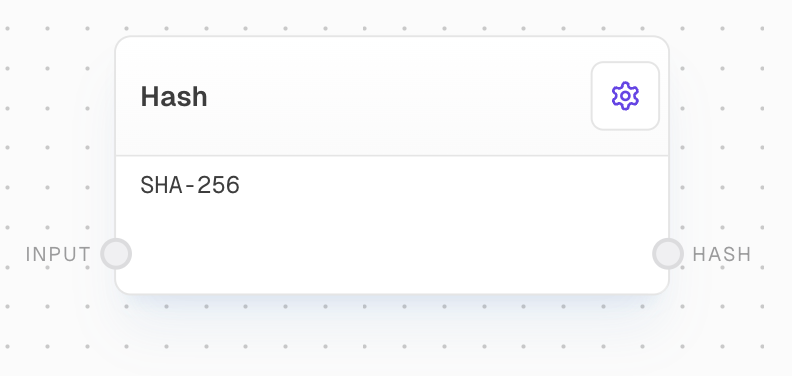
The Hash Block calculates the MD5 or SHA hash of incoming data. This block is particularly useful for performing equivalency comparisons, data integrity checks, or generating unique identifiers based on content.
## Key Features
* Support for multiple hash algorithms (MD5, SHA-1, SHA-256, SHA-512)
* Converts input to string before hashing
* Outputs hash value as a string
## Inputs
The data to be hashed. Required. Non-string inputs will be coerced to strings.
## Outputs
The calculated hash value of the input data.
## Editor Settings
The hash algorithm to use. Options:
* `md5`: MD5 algorithm
* `sha1`: SHA-1 algorithm
* `sha256`: SHA-256 algorithm
* `sha512`: SHA-512 algorithm
## Example: Generating a Hash for Data Comparison
1. Create a Text Block with some sample data, e.g., "Hello, World!".
2. Add a Hash Block and connect the Text Block's output to its `input`.
3. Configure the Hash Block to use SHA-256 algorithm.
4. Run the flow to see the generated hash value.
## Error Handling
* If the input is undefined or null, the block will error
* Invalid algorithm selections will result in an error
## FAQ
The choice of algorithm depends on your specific use case. MD5 is faster but less secure, while SHA-256 and SHA-512 provide stronger security but are slightly slower. For most general purposes, SHA-256 is a good balance of security and performance.
All inputs are coerced to strings before hashing. Numbers, objects, and arrays will be converted to their string representations automatically.
## See Also
* [Compare Block](/block-reference/logic/compare)
* [Encrypt Block](/block-reference/modifiers/hash)
* [Decrypt Block](/block-reference/modifiers/hash)
## Overview
The Hash Block calculates the MD5 or SHA hash of incoming data. This block is particularly useful for performing equivalency comparisons, data integrity checks, or generating unique identifiers based on content.
## Key Features
* Support for multiple hash algorithms (MD5, SHA-1, SHA-256, SHA-512)
* Converts input to string before hashing
* Outputs hash value as a string
## Inputs
The data to be hashed. Required. Non-string inputs will be coerced to strings.
## Outputs
The calculated hash value of the input data.
## Editor Settings
The hash algorithm to use. Options:
* `md5`: MD5 algorithm
* `sha1`: SHA-1 algorithm
* `sha256`: SHA-256 algorithm
* `sha512`: SHA-512 algorithm
## Example: Generating a Hash for Data Comparison
1. Create a Text Block with some sample data, e.g., "Hello, World!".
2. Add a Hash Block and connect the Text Block's output to its `input`.
3. Configure the Hash Block to use SHA-256 algorithm.
4. Run the flow to see the generated hash value.
## Error Handling
* If the input is undefined or null, the block will error
* Invalid algorithm selections will result in an error
## FAQ
The choice of algorithm depends on your specific use case. MD5 is faster but less secure, while SHA-256 and SHA-512 provide stronger security but are slightly slower. For most general purposes, SHA-256 is a good balance of security and performance.
All inputs are coerced to strings before hashing. Numbers, objects, and arrays will be converted to their string representations automatically.
## See Also
* [Compare Block](/block-reference/logic/compare)
* [Encrypt Block](/block-reference/modifiers/hash)
* [Decrypt Block](/block-reference/modifiers/hash)