> ## Documentation Index
> Fetch the complete documentation index at: https://docs.odella.ai/llms.txt
> Use this file to discover all available pages before exploring further.
# Join Block
> Concatenate an array of strings into a single string using a specified delimiter
 ## Overview
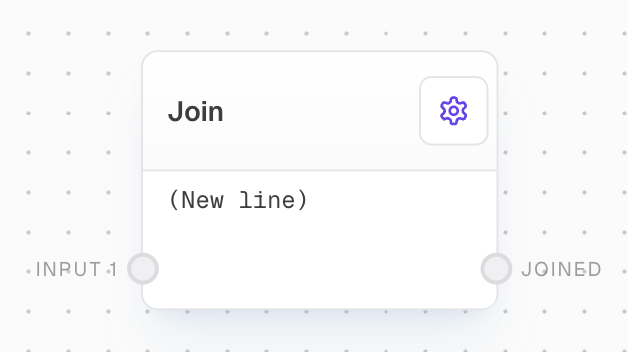
The Join Block concatenates an array of strings into a single string using a specified delimiter. It's useful for formatting lists of items or joining lines of text. The block supports special characters as delimiters and can flatten input arrays before joining.
## Key Features
* Concatenates multiple strings or array elements into a single string
* Supports custom delimiters, including special characters like newline and tab
* Can flatten nested arrays before joining
* Coerces non-string inputs into strings
## Inputs
The first string or array to be joined. Additional numbered inputs (input2, input3, etc.) are created dynamically based on connections.
The delimiter used to join the inputs. Only available when "Use Join String Input" is enabled.
## Outputs
The resulting joined string.
## Editor Settings
When enabled, flattens any array inputs before joining them.
The string used as a delimiter to join the inputs. Supports escape characters like \n (newline), \t (tab).
When enabled, allows the join string to be provided via an input port instead of being set in the settings.
## Example: Join an array of strings with a newline
1. Create an Array Block with values `["apple", "banana", "cherry"]`.
2. Add a Join Block and set the Join String to `\n` in the settings.
3. Connect the Array Block to the Join Block's `input1`.
4. Run the flow. The output should be:
```
apple
banana
cherry
```
## Error Handling
The Join Block generally doesn't error. If an input is not provided, it outputs an empty string.
## FAQ
Yes, you can use special characters like newline (`\n`), tab (`\t`), and space (` `) as the Join String. Enter them literally in the Join String field in the settings.
Yes, you can join an array of any data type. The values will be coerced into strings before joining.
Yes, enable the "Use Join String Input" setting to create a new input port for the Join String.
## See Also
* [Split Text Block](/block-reference/modifiers/chunk)
* [Array Block](/block-reference/data/array)
* [Text Block](/block-reference/data/text)
* [Code Block](/block-reference/advanced/code)
## Overview
The Join Block concatenates an array of strings into a single string using a specified delimiter. It's useful for formatting lists of items or joining lines of text. The block supports special characters as delimiters and can flatten input arrays before joining.
## Key Features
* Concatenates multiple strings or array elements into a single string
* Supports custom delimiters, including special characters like newline and tab
* Can flatten nested arrays before joining
* Coerces non-string inputs into strings
## Inputs
The first string or array to be joined. Additional numbered inputs (input2, input3, etc.) are created dynamically based on connections.
The delimiter used to join the inputs. Only available when "Use Join String Input" is enabled.
## Outputs
The resulting joined string.
## Editor Settings
When enabled, flattens any array inputs before joining them.
The string used as a delimiter to join the inputs. Supports escape characters like \n (newline), \t (tab).
When enabled, allows the join string to be provided via an input port instead of being set in the settings.
## Example: Join an array of strings with a newline
1. Create an Array Block with values `["apple", "banana", "cherry"]`.
2. Add a Join Block and set the Join String to `\n` in the settings.
3. Connect the Array Block to the Join Block's `input1`.
4. Run the flow. The output should be:
```
apple
banana
cherry
```
## Error Handling
The Join Block generally doesn't error. If an input is not provided, it outputs an empty string.
## FAQ
Yes, you can use special characters like newline (`\n`), tab (`\t`), and space (` `) as the Join String. Enter them literally in the Join String field in the settings.
Yes, you can join an array of any data type. The values will be coerced into strings before joining.
Yes, enable the "Use Join String Input" setting to create a new input port for the Join String.
## See Also
* [Split Text Block](/block-reference/modifiers/chunk)
* [Array Block](/block-reference/data/array)
* [Text Block](/block-reference/data/text)
* [Code Block](/block-reference/advanced/code)