> ## Documentation Index
> Fetch the complete documentation index at: https://docs.odella.ai/llms.txt
> Use this file to discover all available pages before exploring further.
# Slice Block
> Extract a portion of an array based on specified start index and count
 ## Overview
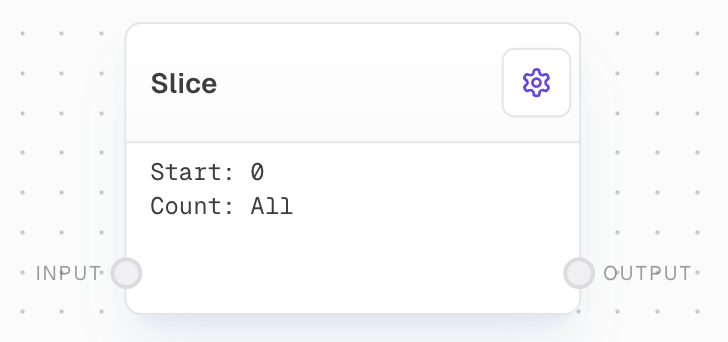
The Slice Block extracts a portion of an array. It takes an array as input and outputs a new array that starts at a specified index and contains a specified number of elements. This block is useful for manipulating arrays, such as extracting a subset of data from a larger dataset.
## Key Features
* Extract a subset of elements from an array
* Configurable start index and count
* Option to provide start and count values via input ports
* Handles empty/undefined inputs gracefully
## Inputs
The array to be sliced.
The index at which to start the slice. Only available when "Use Start Input" is enabled.
The number of elements to include in the slice. Only available when "Use Count Input" is enabled.
## Outputs
The sliced array containing the extracted elements from the input array.
## Editor Settings
The index at which to start the slice. If not provided, defaults to 0.
The number of elements to include in the slice. If not provided, includes all elements from start to end.
When enabled, allows the start index to be provided via an input port instead of being set in the settings.
When enabled, allows the count to be provided via an input port instead of being set in the settings.
## Example: Slice an array
1. Create an Array Block with values `[1, 2, 3, 4, 5]`.
2. Add a Slice Block and set the `Start` to `2` and the `Count` to `2`.
3. Connect the Array Block to the Slice Block's `input`.
4. Run the flow. The Slice Block's `output` should be `[3, 4]`.
## Error Handling
* The block will error if the `input` is not provided or is not an array
* If start or count inputs are enabled but not connected, the block will use the default values
* Using a negative count will result in an error
## FAQ
The Slice Block will return an empty array.
The Slice Block will return all elements from the Start to the end of the array.
You can use negative numbers for the Start to count from the end of the array. However, using a negative number for the Count will result in an error.
## See Also
* [Array Block](/block-reference/data/array)
* [Extract Object Path Block](/block-reference/modifiers/extract-object-path)
* [Code Block](/block-reference/advanced/code)
* [Split Text Block](/block-reference/modifiers/chunk)
* [Join Block](/block-reference/modifiers/join)
## Overview
The Slice Block extracts a portion of an array. It takes an array as input and outputs a new array that starts at a specified index and contains a specified number of elements. This block is useful for manipulating arrays, such as extracting a subset of data from a larger dataset.
## Key Features
* Extract a subset of elements from an array
* Configurable start index and count
* Option to provide start and count values via input ports
* Handles empty/undefined inputs gracefully
## Inputs
The array to be sliced.
The index at which to start the slice. Only available when "Use Start Input" is enabled.
The number of elements to include in the slice. Only available when "Use Count Input" is enabled.
## Outputs
The sliced array containing the extracted elements from the input array.
## Editor Settings
The index at which to start the slice. If not provided, defaults to 0.
The number of elements to include in the slice. If not provided, includes all elements from start to end.
When enabled, allows the start index to be provided via an input port instead of being set in the settings.
When enabled, allows the count to be provided via an input port instead of being set in the settings.
## Example: Slice an array
1. Create an Array Block with values `[1, 2, 3, 4, 5]`.
2. Add a Slice Block and set the `Start` to `2` and the `Count` to `2`.
3. Connect the Array Block to the Slice Block's `input`.
4. Run the flow. The Slice Block's `output` should be `[3, 4]`.
## Error Handling
* The block will error if the `input` is not provided or is not an array
* If start or count inputs are enabled but not connected, the block will use the default values
* Using a negative count will result in an error
## FAQ
The Slice Block will return an empty array.
The Slice Block will return all elements from the Start to the end of the array.
You can use negative numbers for the Start to count from the end of the array. However, using a negative number for the Count will result in an error.
## See Also
* [Array Block](/block-reference/data/array)
* [Extract Object Path Block](/block-reference/modifiers/extract-object-path)
* [Code Block](/block-reference/advanced/code)
* [Split Text Block](/block-reference/modifiers/chunk)
* [Join Block](/block-reference/modifiers/join)