> ## Documentation Index
> Fetch the complete documentation index at: https://docs.odella.ai/llms.txt
> Use this file to discover all available pages before exploring further.
# To JSON Block
> Convert any value into a JSON string representation
 ## Overview
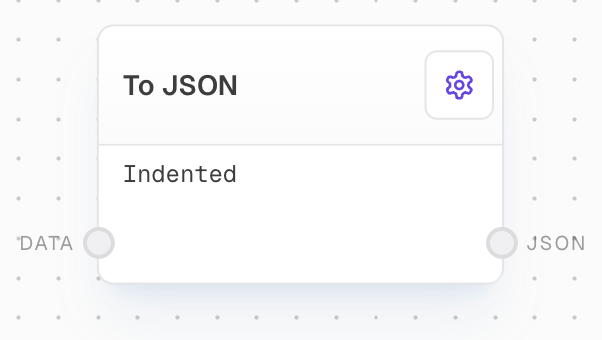
The To JSON Block converts any input value into its JSON string representation. This is useful for serializing data structures, debugging, or preparing data for storage or transmission in a text format.
## Key Features
* Converts any JavaScript value to a JSON string
* Preserves data structure and types
* Handles complex nested objects and arrays
* Useful for data serialization and debugging
## Inputs
The value to convert to JSON. Can be any type including objects, arrays, strings, numbers, booleans, or null.
## Outputs
The JSON string representation of the input value.
## Example: Convert an Object to JSON
1. Create an Object Block with values:
```json theme={null}
{
"name": "John Smith",
"age": 30,
"hobbies": ["reading", "hiking"]
}
```
2. Add a To JSON Block and connect the Object Block to its `input`.
3. Run the flow. The output will be the stringified JSON:
```json theme={null}
{"name":"John Smith","age":30,"hobbies":["reading","hiking"]}
```
## Error Handling
* Handles circular references by throwing an error
* Non-JSON-serializable values (like functions) will be omitted
* Undefined values will be omitted from objects
## FAQ
Most JavaScript values can be converted including objects, arrays, strings, numbers, booleans, and null. Functions, undefined values, and circular references cannot be converted to JSON.
No, the output JSON will be compact without extra whitespace. To format the JSON, you can use a Code Block with JSON.stringify's space parameter.
* undefined values are omitted from objects
* Functions are omitted from objects
* Dates are converted to ISO strings
* NaN and Infinity become null
## See Also
* [Object Block](/block-reference/data/object)
* [Code Block](/block-reference/advanced/code)
## Overview
The To JSON Block converts any input value into its JSON string representation. This is useful for serializing data structures, debugging, or preparing data for storage or transmission in a text format.
## Key Features
* Converts any JavaScript value to a JSON string
* Preserves data structure and types
* Handles complex nested objects and arrays
* Useful for data serialization and debugging
## Inputs
The value to convert to JSON. Can be any type including objects, arrays, strings, numbers, booleans, or null.
## Outputs
The JSON string representation of the input value.
## Example: Convert an Object to JSON
1. Create an Object Block with values:
```json theme={null}
{
"name": "John Smith",
"age": 30,
"hobbies": ["reading", "hiking"]
}
```
2. Add a To JSON Block and connect the Object Block to its `input`.
3. Run the flow. The output will be the stringified JSON:
```json theme={null}
{"name":"John Smith","age":30,"hobbies":["reading","hiking"]}
```
## Error Handling
* Handles circular references by throwing an error
* Non-JSON-serializable values (like functions) will be omitted
* Undefined values will be omitted from objects
## FAQ
Most JavaScript values can be converted including objects, arrays, strings, numbers, booleans, and null. Functions, undefined values, and circular references cannot be converted to JSON.
No, the output JSON will be compact without extra whitespace. To format the JSON, you can use a Code Block with JSON.stringify's space parameter.
* undefined values are omitted from objects
* Functions are omitted from objects
* Dates are converted to ISO strings
* NaN and Infinity become null
## See Also
* [Object Block](/block-reference/data/object)
* [Code Block](/block-reference/advanced/code)