> ## Documentation Index
> Fetch the complete documentation index at: https://docs.odella.ai/llms.txt
> Use this file to discover all available pages before exploring further.
# Models
> Understand how model settings support AI Employees, workflows, and workspace governance.
# Models
Odella can connect to leading AI model providers so workers can use the right capability for the work they are assigned. Most teams do not need to manage model details day to day, but workspace-level model settings help administrators align Odella with security, quality, and compliance requirements.
In customer-facing work, think of models as one part of how an AI Employee performs its role. The worker's responsibilities, knowledge, tools, and review process are just as important.
## How models fit into Odella
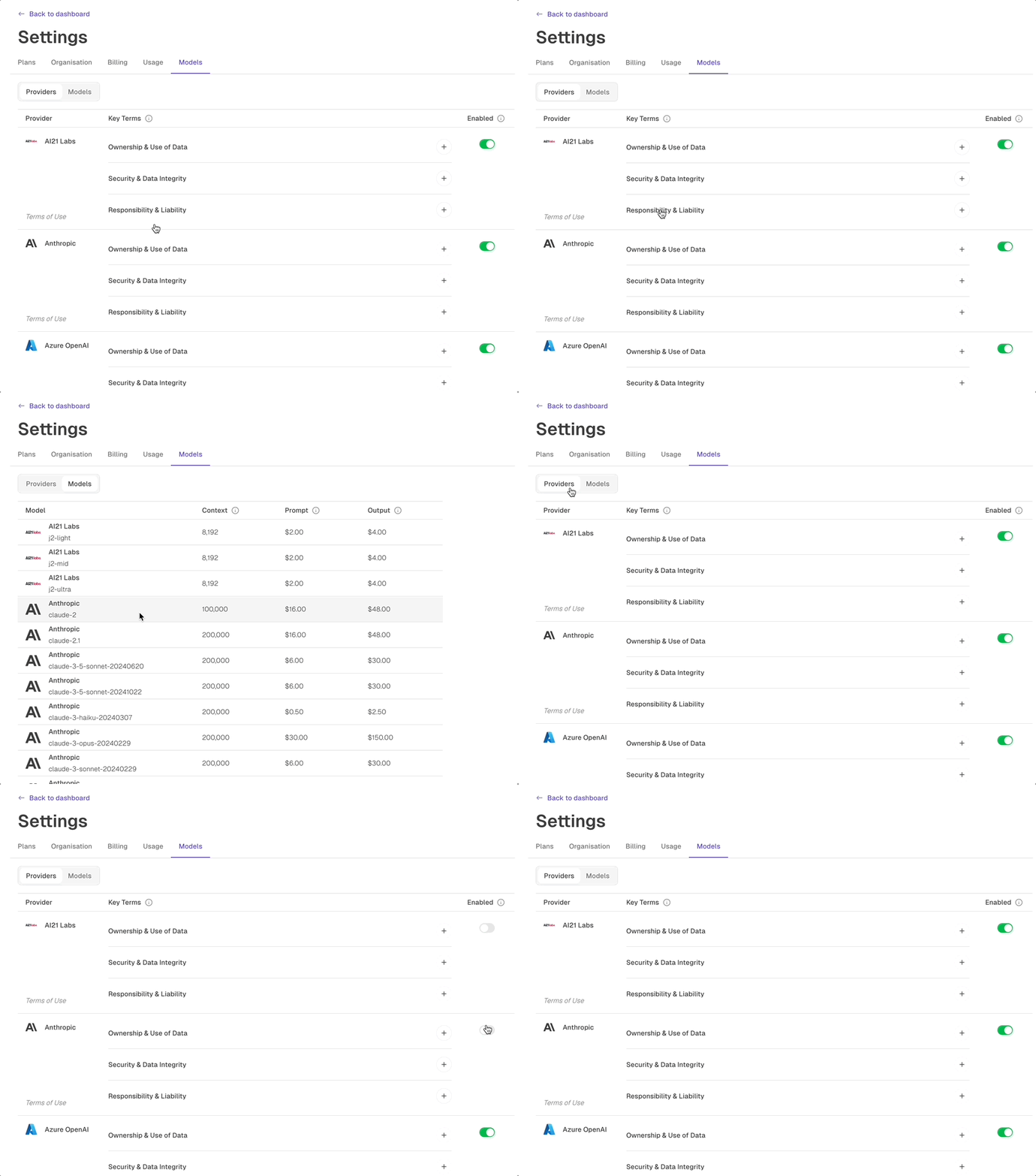
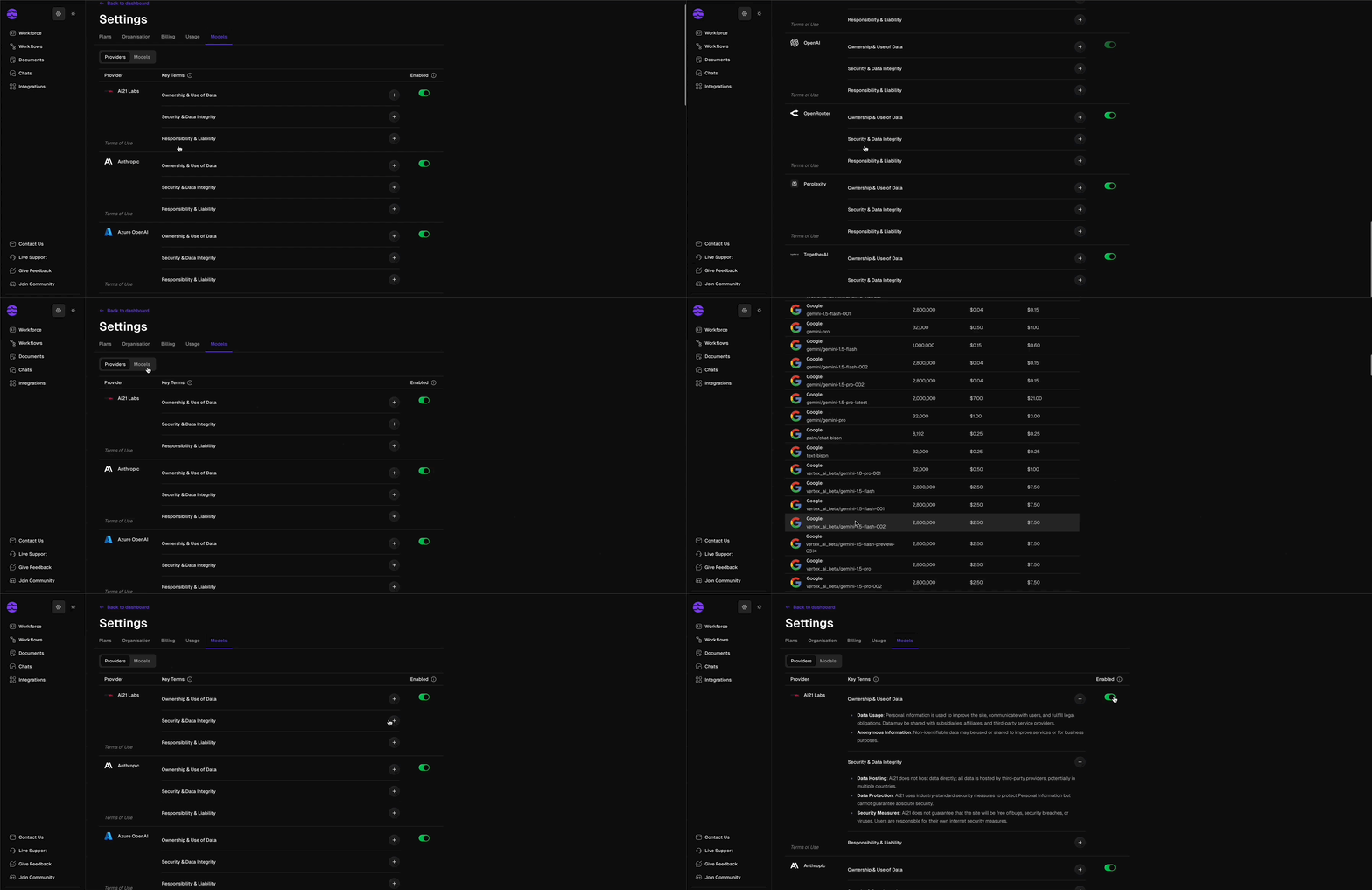 Choose which model providers are available to your organization.
Use appropriate model capabilities for drafting, extraction, reasoning, summarisation, and review tasks.
Align model usage with internal security, privacy, and client requirements.
Keep your workflows and workers adaptable as model capabilities improve over time.
## Recommended approach
Decide which model providers are approved for your organization.
Consider the type of work a worker performs: reading, drafting, extracting, analysing, or reviewing.
Run representative tasks and review output quality before assigning the worker broader responsibilities.
Revisit model settings as your team's requirements, risk profile, and available model capabilities change.
## What to focus on first
For most teams, the most important model decisions are practical:
* Which providers are allowed in the workspace?
* Which workers handle sensitive information?
* Which workflows need higher accuracy or stronger review?
* Which outputs require human approval before use?
Do not start by optimizing every model choice. Start by defining the worker's role, responsibility, knowledge, and review process. Then adjust model settings where the work requires it.
## Related docs
Review governance and access controls for your workspace.
Learn how information moves through workflows.
Choose which model providers are available to your organization.
Use appropriate model capabilities for drafting, extraction, reasoning, summarisation, and review tasks.
Align model usage with internal security, privacy, and client requirements.
Keep your workflows and workers adaptable as model capabilities improve over time.
## Recommended approach
Decide which model providers are approved for your organization.
Consider the type of work a worker performs: reading, drafting, extracting, analysing, or reviewing.
Run representative tasks and review output quality before assigning the worker broader responsibilities.
Revisit model settings as your team's requirements, risk profile, and available model capabilities change.
## What to focus on first
For most teams, the most important model decisions are practical:
* Which providers are allowed in the workspace?
* Which workers handle sensitive information?
* Which workflows need higher accuracy or stronger review?
* Which outputs require human approval before use?
Do not start by optimizing every model choice. Start by defining the worker's role, responsibility, knowledge, and review process. Then adjust model settings where the work requires it.
## Related docs
Review governance and access controls for your workspace.
Learn how information moves through workflows.