> ## Documentation Index
> Fetch the complete documentation index at: https://docs.odella.ai/llms.txt
> Use this file to discover all available pages before exploring further.
# Security
> Understand the controls that help teams govern data, access, AI model usage, integrations, and review.
# Security
Odella is built for teams that need AI Employees to work with business information safely. Security is not a separate layer from the product: it shapes how workers are onboarded, what they can access, which workflows they can run, and how outputs are reviewed.
## Security model
Keep work organized inside a controlled workspace with team-level settings, permissions, and review practices.
Assign each worker only the tools, knowledge, templates, and workflows needed for its responsibilities.
Connect workplace tools with secure authentication and manage which systems Odella can access.
Keep people in control with review steps for important work, especially before information is sent or relied on.
## Configure security settings
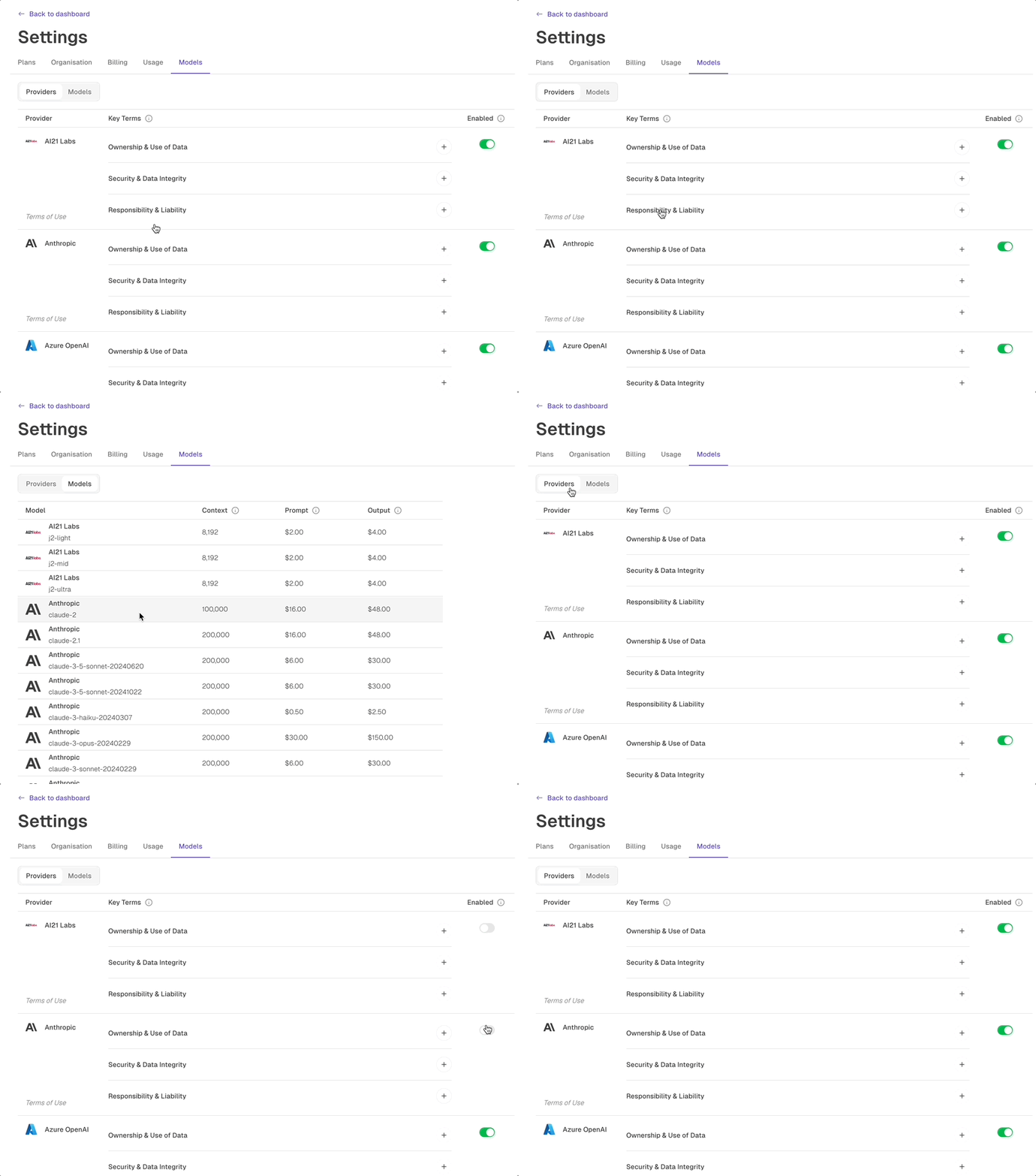
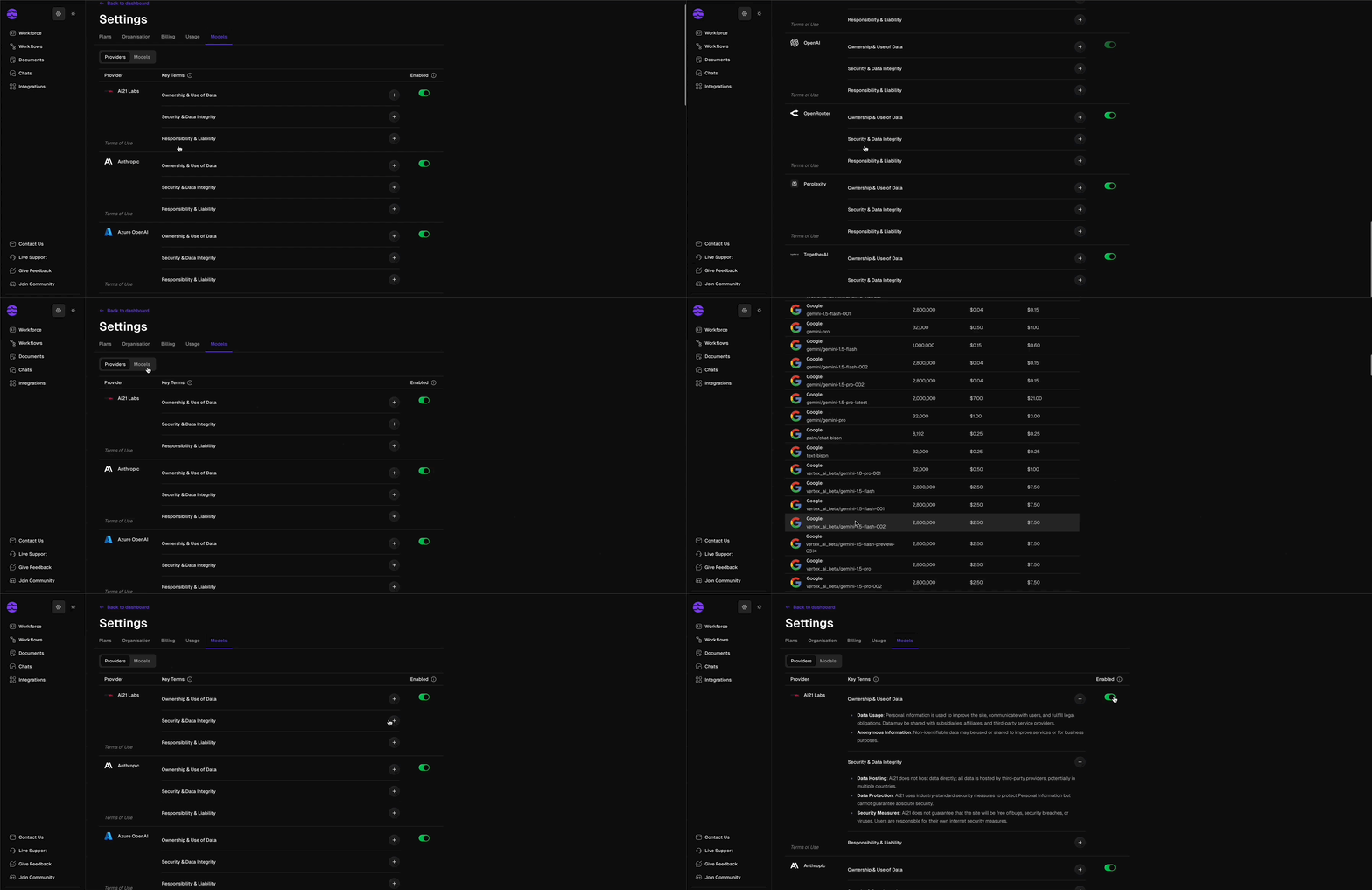 Use security settings to decide how your team works with Odella.
Choose which AI model providers are available in your workspace. This lets your organization align model usage with internal policies, client requirements, and risk tolerance.
Control what documents, stores, integrations, and workflows each worker can use. Workers should only receive access that supports their role and responsibilities.
Review each connected tool and ensure access matches the work being performed. For example, a document drafting worker may need template and document access, while a finance worker may need accounting-related integrations.
Build review checkpoints into workflows where human judgment is required. Use work history and workflow runs to understand what happened and improve the process over time.
## Recommended security practices
Give each worker a focused responsibility instead of broad access to everything in your workspace.
Attach the minimum set of workflows, templates, documents, and integrations required for the worker's job.
Check early work carefully and update instructions before expanding responsibilities.
For sensitive or high-impact tasks, keep a human review step before the output is used externally or relied on internally.
Security improves when workers are treated like team members with defined roles: clear responsibilities, appropriate access, and regular review.
## Related docs
Learn how Odella works with AI model providers and workspace-level model settings.
Learn how to connect Odella to the tools your team already uses.
Use security settings to decide how your team works with Odella.
Choose which AI model providers are available in your workspace. This lets your organization align model usage with internal policies, client requirements, and risk tolerance.
Control what documents, stores, integrations, and workflows each worker can use. Workers should only receive access that supports their role and responsibilities.
Review each connected tool and ensure access matches the work being performed. For example, a document drafting worker may need template and document access, while a finance worker may need accounting-related integrations.
Build review checkpoints into workflows where human judgment is required. Use work history and workflow runs to understand what happened and improve the process over time.
## Recommended security practices
Give each worker a focused responsibility instead of broad access to everything in your workspace.
Attach the minimum set of workflows, templates, documents, and integrations required for the worker's job.
Check early work carefully and update instructions before expanding responsibilities.
For sensitive or high-impact tasks, keep a human review step before the output is used externally or relied on internally.
Security improves when workers are treated like team members with defined roles: clear responsibilities, appropriate access, and regular review.
## Related docs
Learn how Odella works with AI model providers and workspace-level model settings.
Learn how to connect Odella to the tools your team already uses.