

 Get Started
 Workforce
 Templates
 Documents
 Workflows
Inbox is available only where enabled for your account. Controls also depend on mailbox/provider capabilities and your permissions. Screenshots are synthetic UI illustrations, not evidence that every account has these features.
Connect and check your mailbox
- Open Inbox and choose Gmail or Outlook in the connection flow.
- Review provider permissions and authorize the intended mailbox yourself.
- Return to Odella and select Check connection and import when offered. Opening or finishing an OAuth window is not by itself confirmation that collection is ready.
- Check the mailbox’s connected state and import progress in Inbox settings. Resolve a reconnect or import error before assuming messages are current.
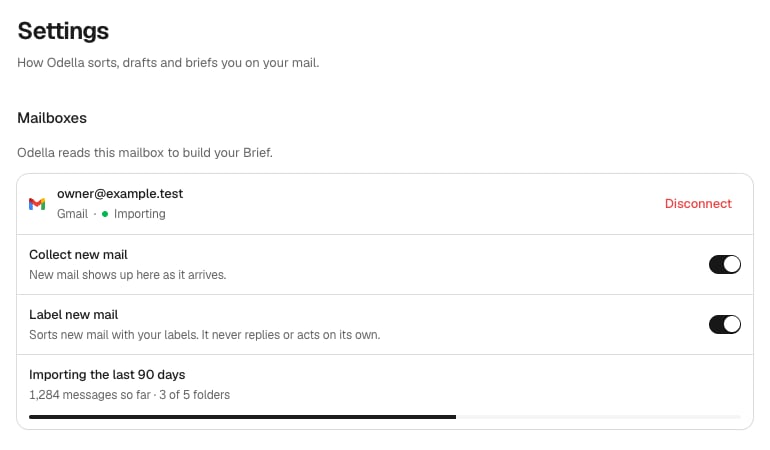
Mailbox collection and import settings. Synthetic example with a longer configured history window, not the default seven-day initial import.
Read and find conversations
Select a conversation to open it. Use search and the available source, label, and folder controls. Search and conversation links preserve navigation context; they do not grant someone else permission to read your mail. Search terms can appear in browser history and shared URLs. Inbox is collected history, not a promise to display every message in the native mailbox. Starred, Sent, Archive, Trash and other views operate on supported, verified collected messages. An unavailable folder is not an empty folder. Use the native provider when you need complete mailbox coverage.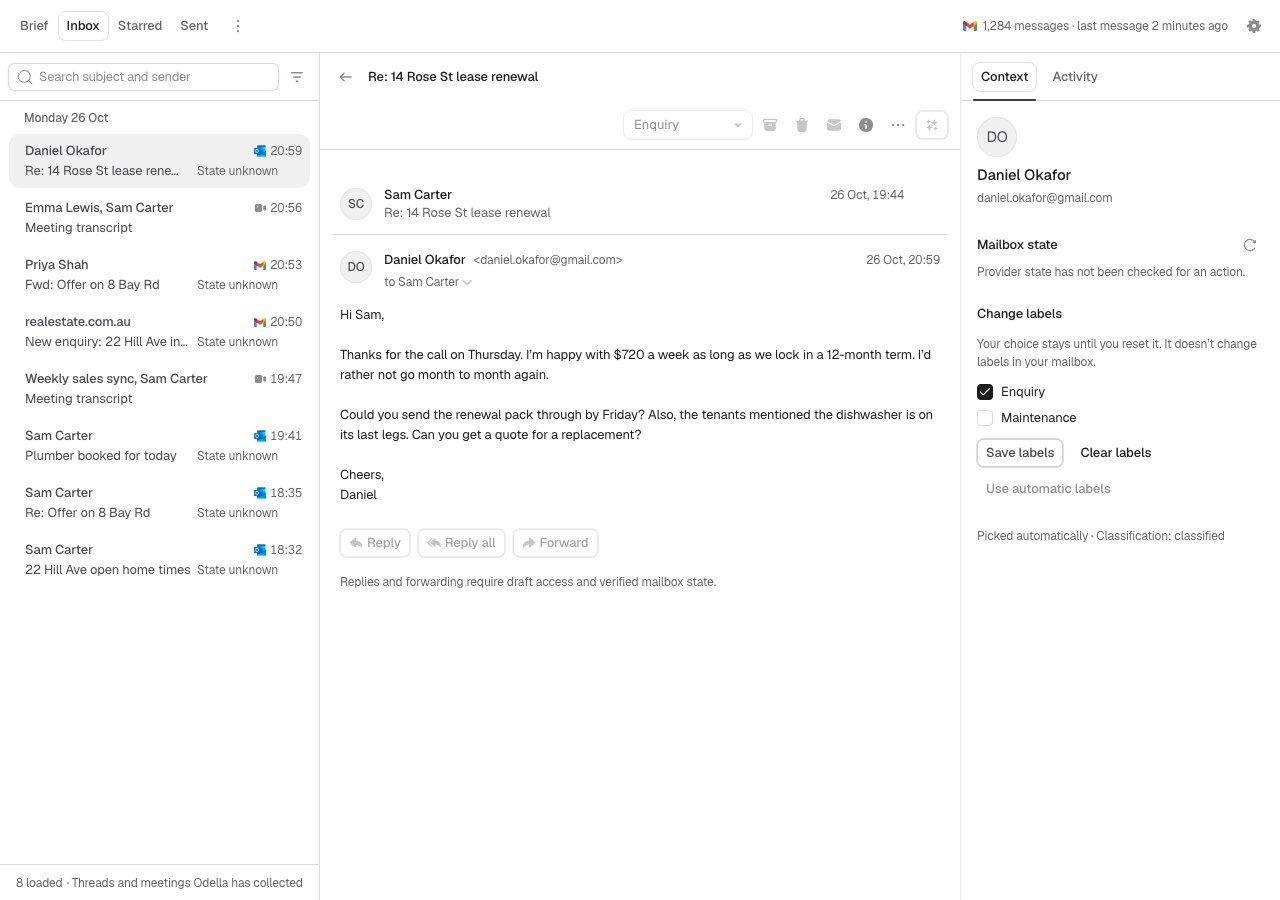
The collected-message reader. Synthetic Storybook example.
Compose, reply, and send
Where enabled, choose Compose, Reply, Reply all, or Forward. Check the From mailbox, To/Cc/Bcc, body, signature, and attachments. Wait for provider-backed saving before sending. Saved-contact suggestions are mailbox-specific; enter addresses manually if contact permissions are unavailable. Drafts and sending use the connected provider. A send acknowledgement means the provider accepted it—not that the recipient received it. If the result is uncertain, check native Drafts and Sent before trying again. Never create a second message just to work around an unknown send result. Live Undo and scheduled sending are not implied by the presence of a draft editor. Writing assistance, where offered, operates on explicitly selected text or recorded dictation. Review the result; it does not send the message.Message actions and bulk work
Use supported read/unread, star, Archive, Move to Inbox, and Trash controls. Actions can be unavailable for meetings, unsupported sources, stale messages, or read-only access. Archive does not silently restore a trashed message. To select conversations, use a row’s context menu → Select conversation, then the N selected menu. Current bulk limits are 20 conversations and 100 collected messages. Bulk operations are not atomic: some messages may succeed before another fails. Review confirmed, unconfirmed, and unattempted results. Refresh or inspect the native mailbox rather than assuming rollback or retrying the whole selection.Settings and automation
Open the header’s settings control to review the available sections:- Mailboxes: connection, collection, import progress, reconnect and disconnect.
- Labels: classification and the available daily-Brief inclusion choices. Review automatic labels; manual corrections matter.
- Email signatures: maintain a signature per mailbox. Gmail import is explicit; use the supported custom signature editor where provider import is unavailable.
- Forwarding rules: explicit event Actions on selected employees. Inspect the provider, employee, filter, instructions and enabled state. These are not a blanket grant to every mailbox or employee.
Recovery
- Recent mail is missing: Inspect connection/import status and collection window, then check the native mailbox. Collection can lag.
- A source is paused: Review its settings; pausing does not prove retained messages were deleted.
- Content cannot load: Retry the reported read after checking access. A list entry does not guarantee its body or attachment remains available.
- A write is uncertain: Stop repeated writes and verify the exact message in the provider.
- Inbox is absent: Ask your administrator or support about account availability; do not change browser flags as a workaround.