

 Get Started
 Workforce
 Templates
 Documents
 Workflows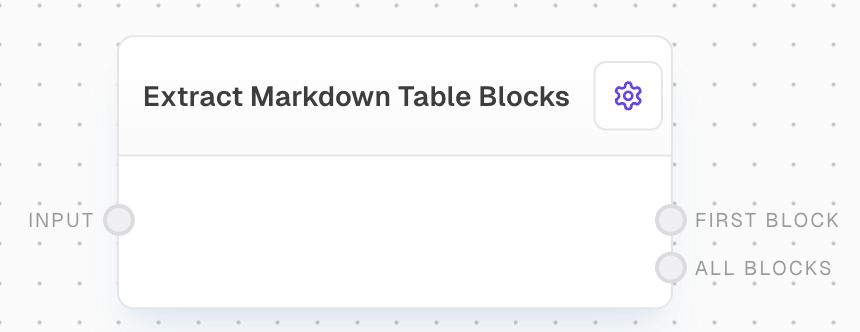
Overview
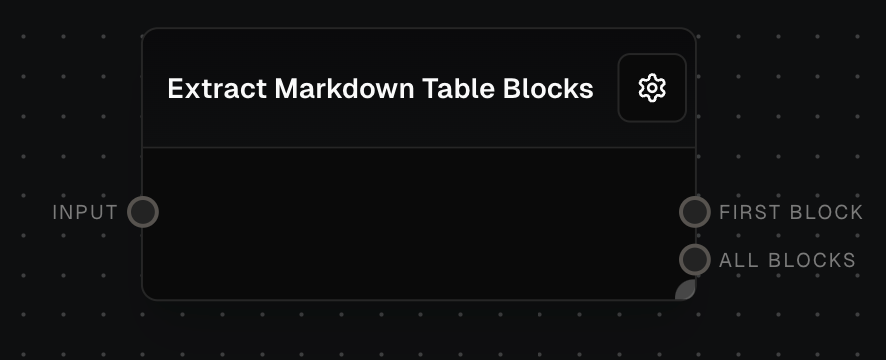
Use the Extract Markdown Table Blocks block when a workflow needs to pull tables out of markdown text, README files, AI-generated responses, or documentation. The block detects standard pipe-delimited markdown tables and returns them as structured Table values that you can pass into downstream blocks such as Analyze Table, Table to File, or Flow Output.Inputs
string
required
The markdown-formatted text from which to extract table blocks.
Outputs
table
The first table block found in the input markdown, converted to a Table value. If no table blocks are found, this output will be control-flow-excluded.
table[]
An array of Table values, where each Table represents a table block extracted from the input markdown.
Editor Settings
boolean
default:false
When enabled, attempts to coerce the extracted content into table format. This can help handle some malformed markdown tables.
Example: Extracting Tables from Documentation
- Create a new flow and add an Extract Markdown Table Blocks block.
- Add a Text block with markdown content containing table blocks and connect it to the
inputof the Extract Markdown Table Blocks block. - Connect any of the outputs to view the extracted tables or header information.
- Run the flow to see the results.
Error Handling
- If no table blocks are found in the input markdown, the
firstBlockoutput will be control-flow-excluded andallBlockswill be an empty array. - The block will not throw an error for invalid markdown; it will attempt to extract any table blocks it can identify.
FAQ
What format are the tables expected to be in?
What format are the tables expected to be in?
The block expects tables to be formatted using standard markdown table syntax with pipe characters (|) separating columns and hyphens (-) in the separator row.
How are table headers handled?
How are table headers handled?
Table headers are identified by the separator row (containing hyphens) that follows the header row. The headers are preserved in the output Table values.
Does this block handle complex table formatting?
Does this block handle complex table formatting?
Yes, the block handles standard markdown table formatting including text alignment indicators (:---:) and varying column widths. However, nested tables or HTML tables are not supported.