

 Get Started
 Workforce
 Templates
 Documents
 Workflows
Loops repeat a defined set of workflow steps. Use them when items must be processed sequentially or execution depends on an explicit completion condition.
What is a Loop?
A loop repeats a set of actions until a specific condition is met—similar to saying, “Keep doing this until I say stop.”Simple Loop Example
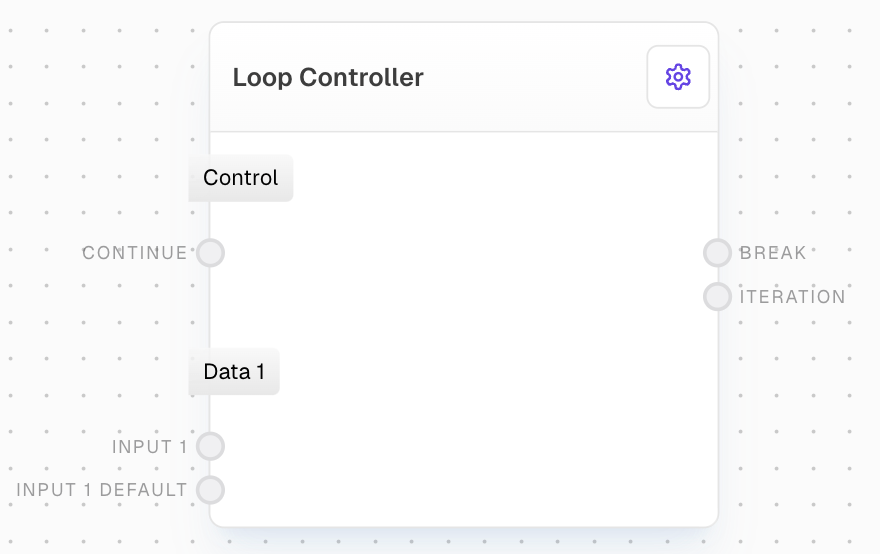
The simplest loop in Odella repeats actions until a stopping point is specified.The Loop Controller
Key Parts of the Loop Controller
Continue
Controls whether the loop continues or stops, using a true/false value.
Input Pairs
These are values that update with each cycle. Each pair has an input and an optional default input.
The default input provides an initial value, while the main input updates each cycle.
Outputs in the Loop Controller
For each input pair (except ‘Continue’), there’s an output. The first cycle uses the default value, while following cycles use the last output.Example: Loop in Action
Imagine a simple loop changing values ‘A’ and ‘B’. In each cycle, ‘A’ and ‘B’ are updated, performing calculations or actions until a stop condition is met.Practical Uses for Loops
Adding Items to a List
Loops can add items to a list, ideal for gathering information across multiple steps.The Array Block is set to Flatten by default, making it easy to add new items with each cycle of the loop.