

 Get Started
 Workforce
 Templates
 Documents
 Workflows
Manage workflows
A workflow is a directed graph of connected blocks. Each block waits for its required inputs, performs one operation, and passes output to downstream blocks. Independent branches can run concurrently.Create a workflow
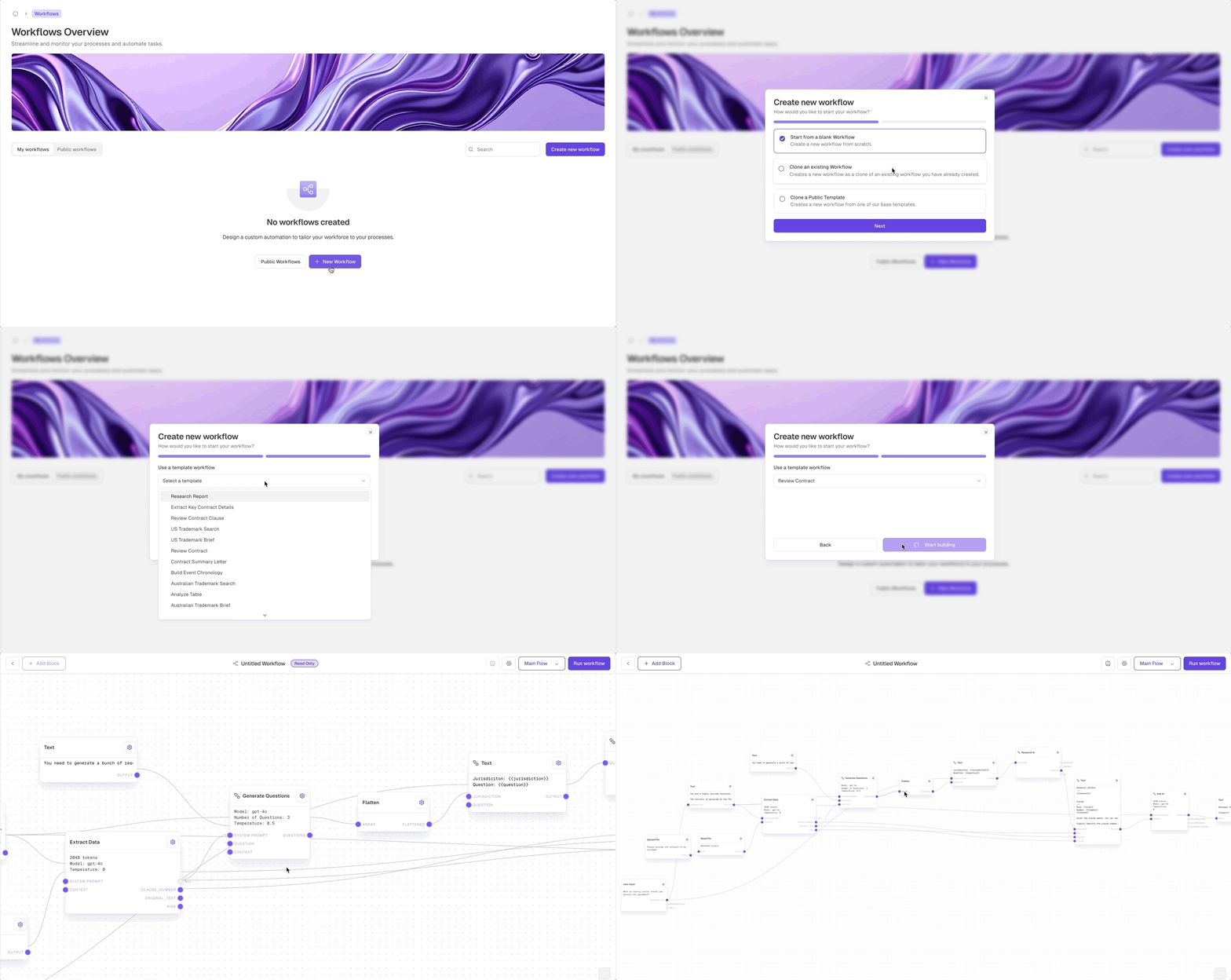
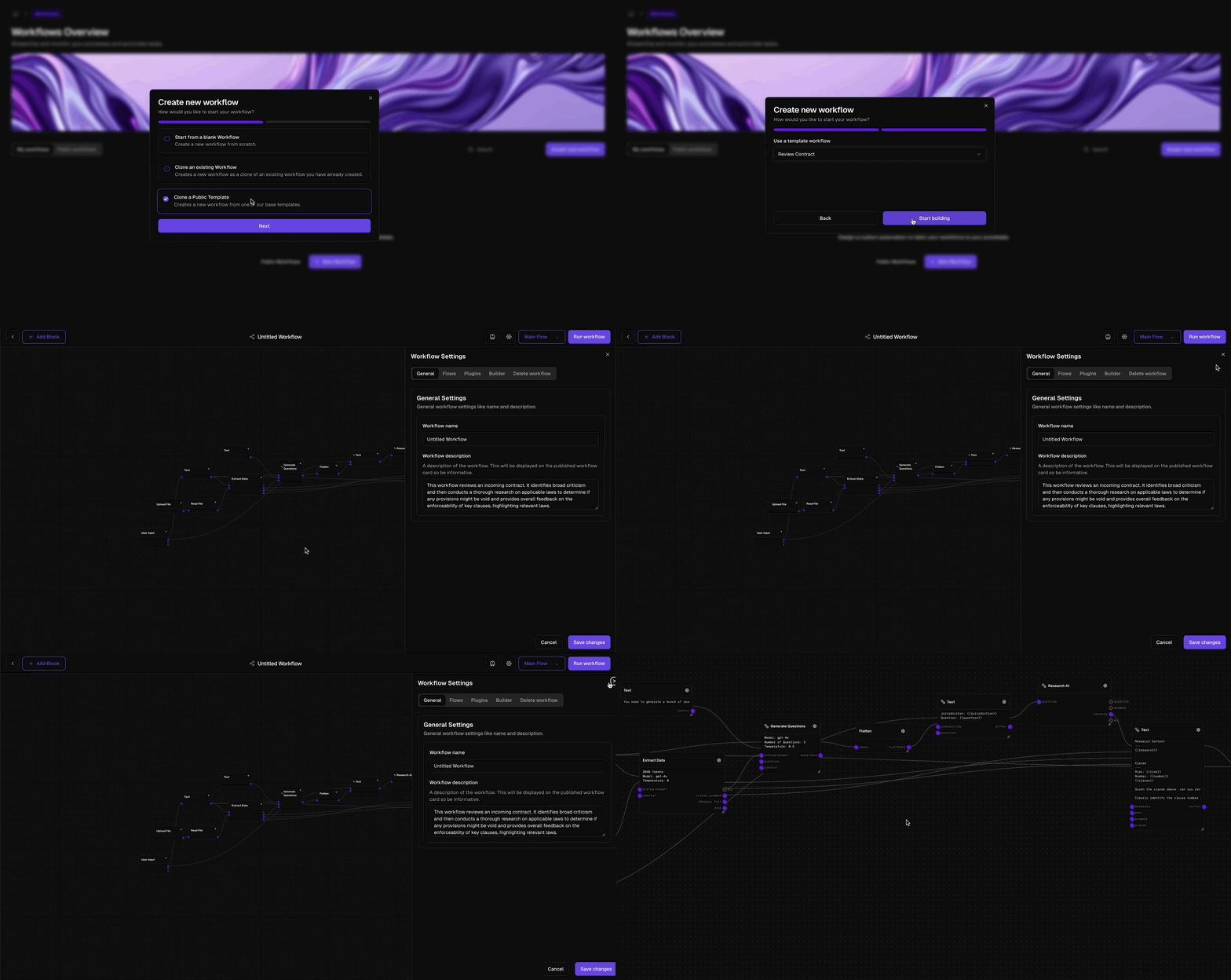
1
Select New Workflow
Open Workflows and select New Workflow.
2
Choose a starting point
Start blank, clone an existing workflow, or use a Marketplace workflow.
3
Name the workflow
Use an outcome-focused name and describe when the workflow should run and what it returns.
4
Build on the canvas
Add blocks, connect compatible ports, and configure each step.
Define inputs and outputs
A reusable workflow should have an explicit interface.Flow Input
Define each value required to start the workflow, including its name, type, and default where appropriate.
Flow Output
Define the values returned to the caller when the workflow completes.
Run and inspect a workflow
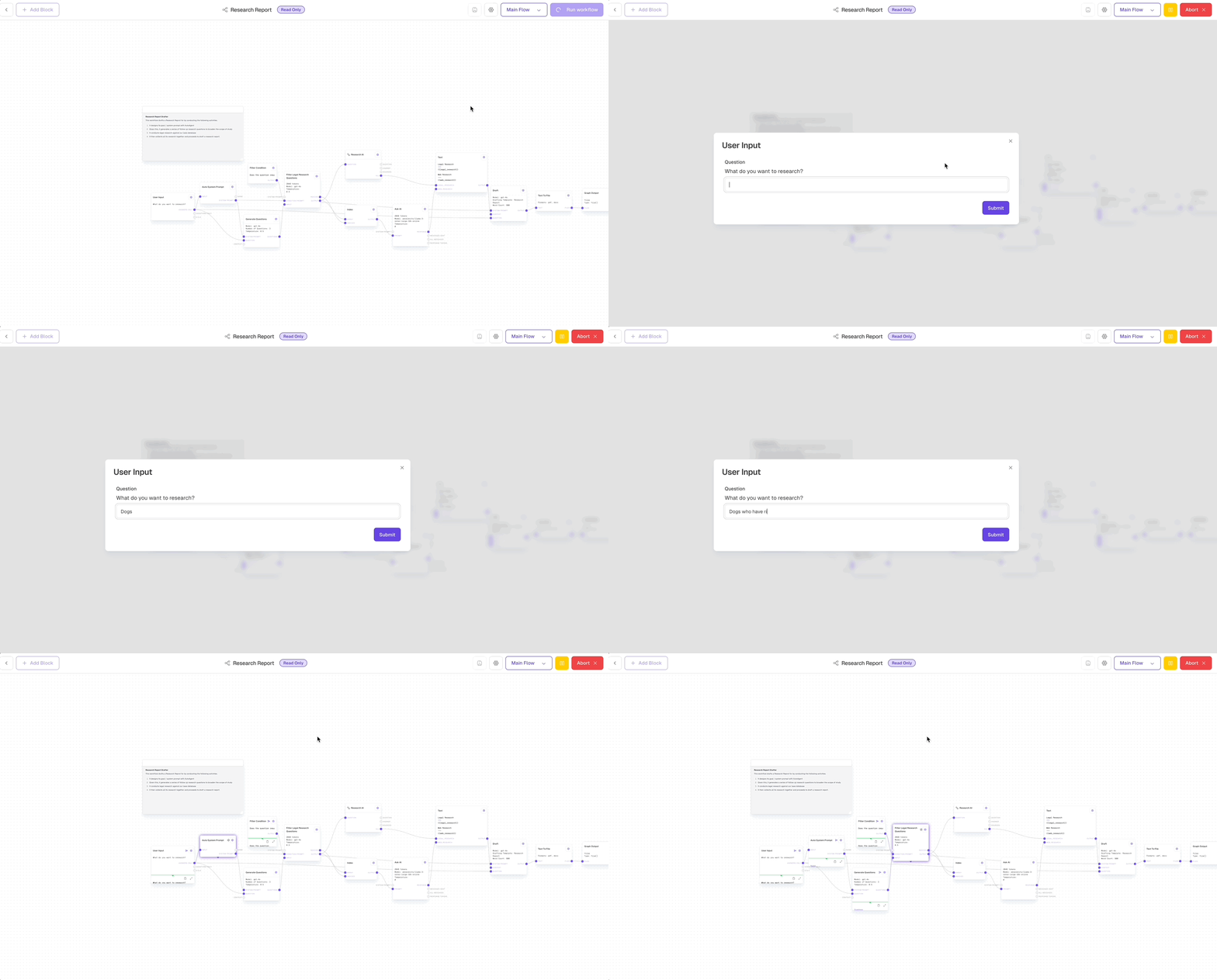
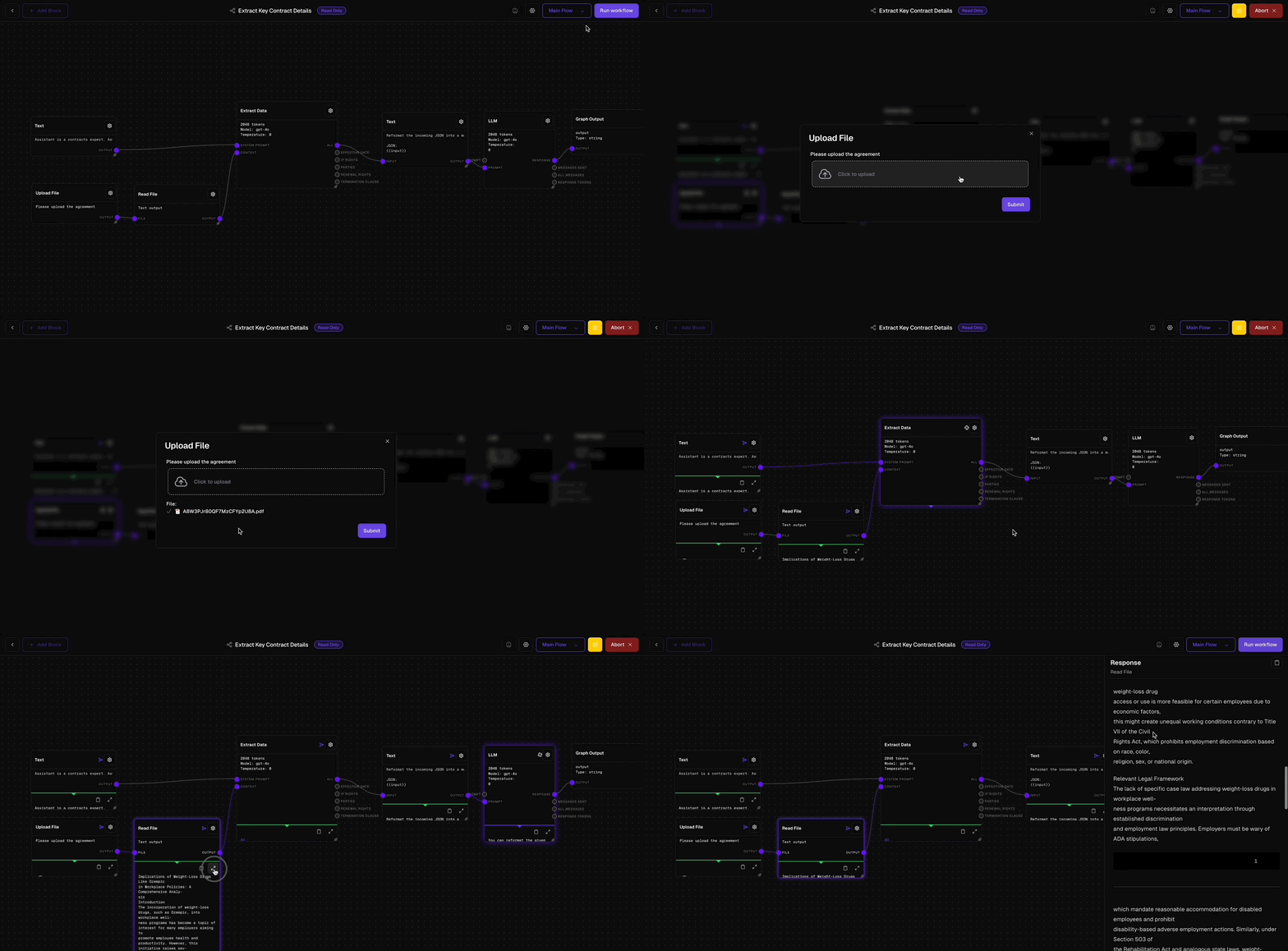
- A normal case
- Missing required input
- Invalid input
- Boundary values
- Every conditional branch
- A connected-application failure
- A partial batch failure, when applicable
Save and publish
Saving preserves draft changes. Publishing makes the tested version available for production use and worker assignment. Before publishing:- Confirm the workflow owner and intended callers.
- Review inputs, outputs, permissions, and approvals.
- Test representative and failure cases.
- Confirm that the name and description match actual behavior.
- Document important assumptions with Comment blocks.
Update a published workflow
Treat changes to inputs, outputs, connected applications, and shared subflows as compatibility changes. Identify dependent workers and workflows, test them against the update, and communicate material behavior changes to process owners.Delete a workflow
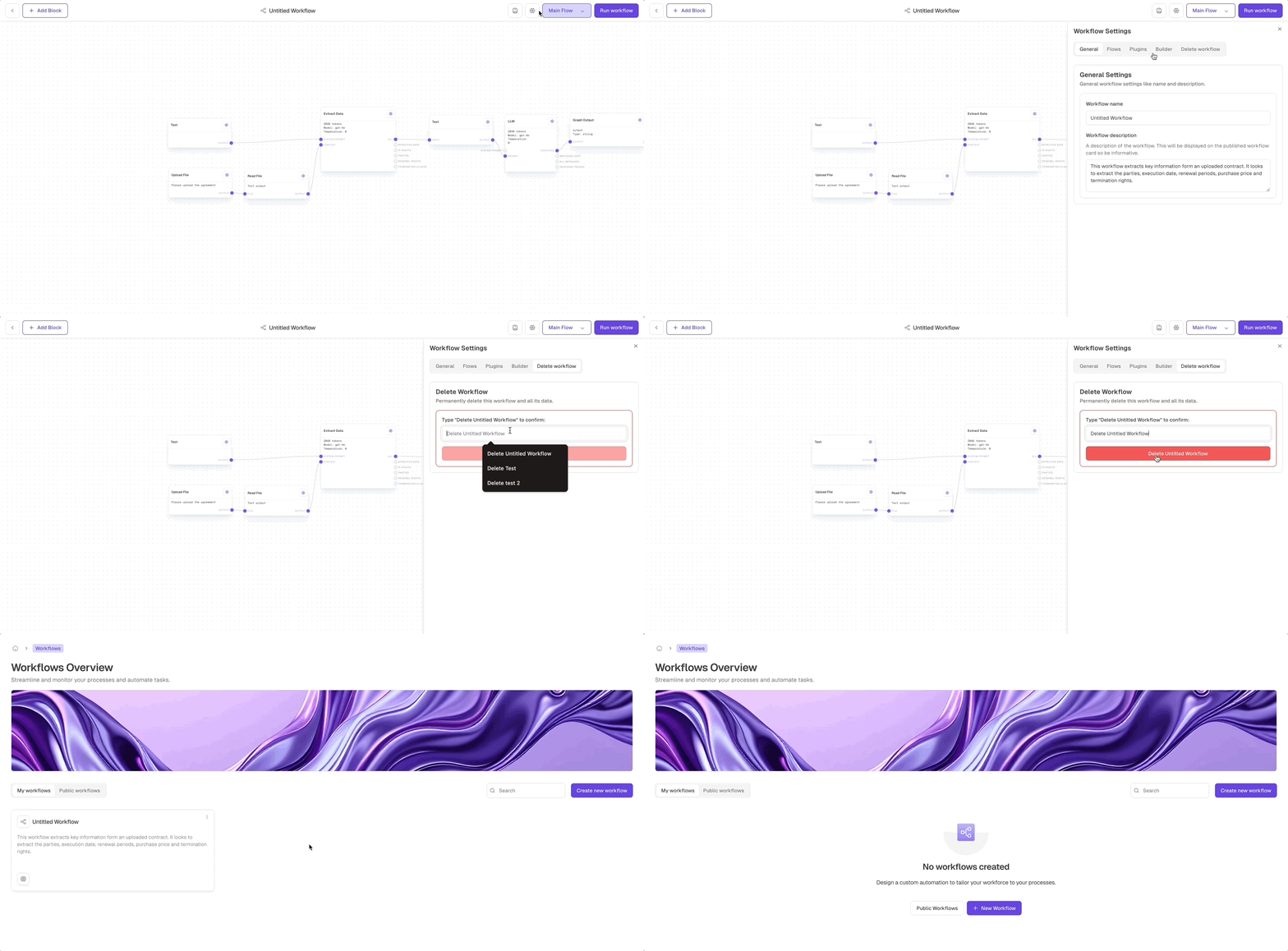
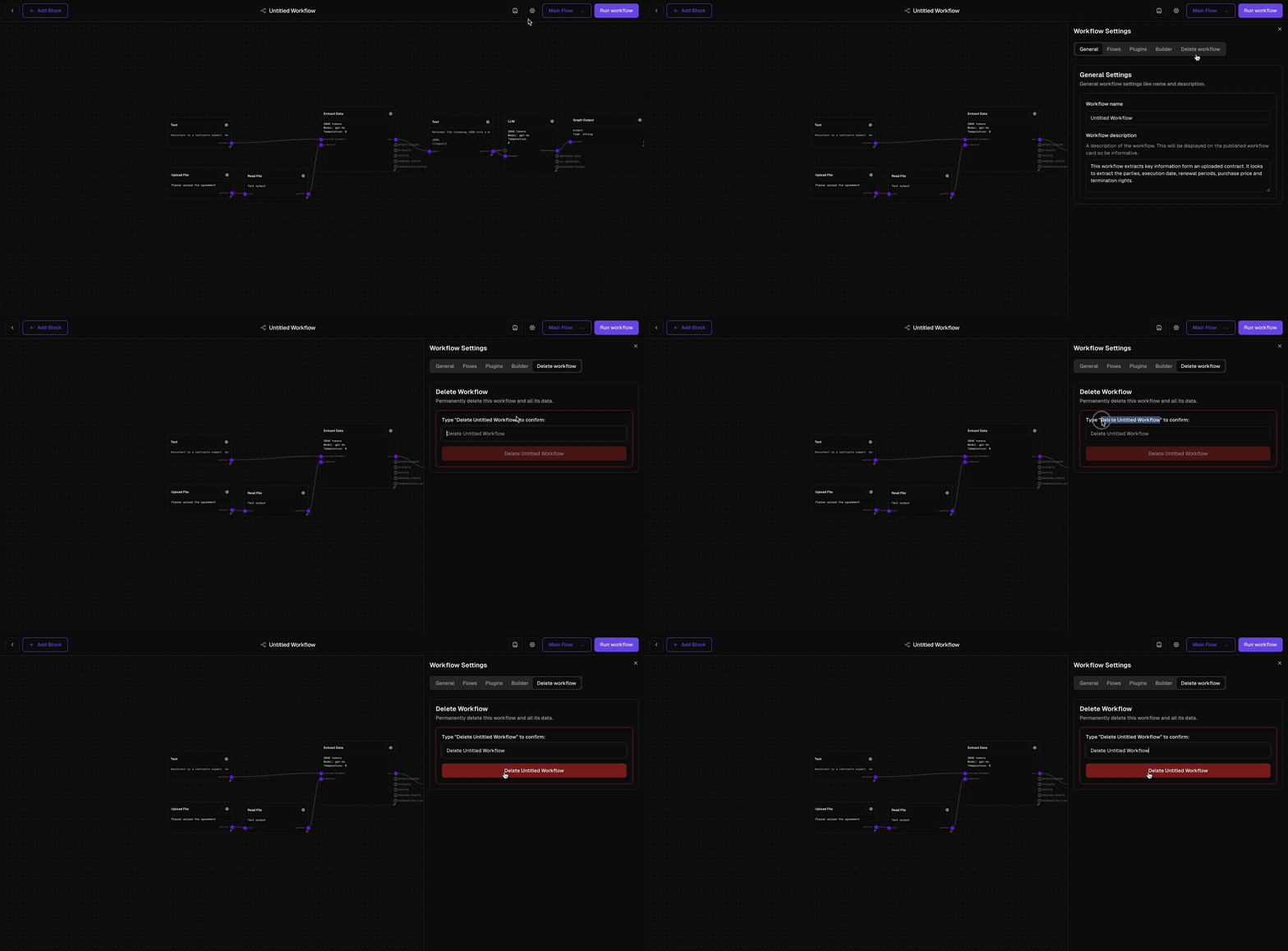
Maintenance practices
- Keep one clear business outcome per workflow.
- Use subflows for logic that is genuinely reused.
- Avoid granting broader application access than the process requires.
- Keep human approval before high-impact external actions.
- Review failed runs and stale workflows regularly.
- Retest when application schemas or business rules change.